Long-running commands stop if your SSH session closes unless they are managed by a service or terminal multiplexer. screen and tmux let you detach from a command and reconnect later.
This is useful for temporary tasks, test servers, console-only installers, and one-off maintenance. For production game servers, a proper systemd service is usually better.
Install screen or tmux
On Ubuntu or Debian:
sudo apt update
sudo apt install screen tmux
On AlmaLinux, Rocky Linux, Oracle Linux, or CentOS:
sudo dnf install screen tmux
If dnf is not available on an older image, use yum instead.
Using screen
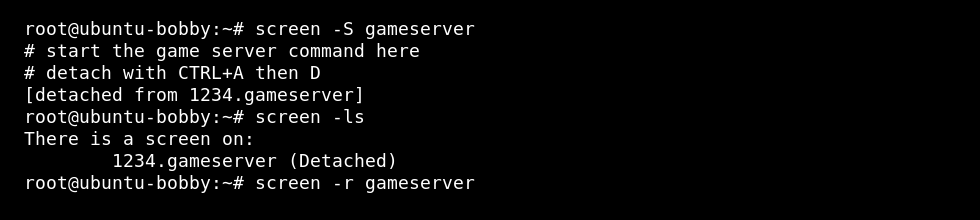
- Create a named session:
screen -S gameserver
- Start your command inside the screen session.
- Detach with CTRL + A, then D.
- List sessions:
screen -ls
- Reconnect later:
screen -r gameserver
Using tmux
tmux new -s gameserver
Detach with CTRL + B, then D. Reconnect with:
tmux attach -t gameserver
Useful session commands
| Command | Use |
|---|---|
screen -ls | List screen sessions. |
screen -r name | Reconnect to a screen session. |
tmux ls | List tmux sessions. |
tmux attach -t name | Reconnect to a tmux session. |
When not to use screen or tmux
If the command needs to start automatically after a reboot, use a systemd service instead. For Minecraft, use How to run a Minecraft server as a systemd service on a Linux VPS.
