A sudo user lets you manage a Linux VPS without logging in as root for every task. This is safer for daily administration and makes it easier to give controlled access to another administrator.
Connect to the VPS as root first. Replace username in the examples with the user you want to create.
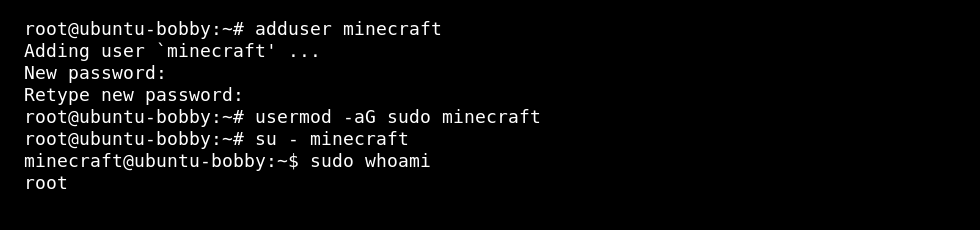
Ubuntu or Debian
- Create the user:
adduser username
- Add the user to the sudo group:
usermod -aG sudo username
AlmaLinux, Rocky Linux, Oracle Linux, or CentOS
RHEL-style distributions use the wheel group for sudo access:
adduser username
passwd username
usermod -aG wheel username
What permissions does this give?
The new user can log in with its own password or SSH key. Adding it to sudo or wheel lets that user run admin commands by typing sudo before the command.
Do not give sudo access to users who only need SFTP access or access to one game folder. For limited access, create a normal user and give it permission only to the folder it needs.
Test the new user
Open a new SSH session and test sudo before closing your root session:
ssh username@your.vps.ip
sudo whoami
If the command returns root, sudo is working. Keep the root login available until you have confirmed the new user can log in and run sudo commands.
After the user works, add an SSH key for it: How to add an SSH key to your VPS.
