Swap is disk space Linux can use as emergency memory. It is slower than RAM, but it can help prevent processes from being killed when memory usage briefly spikes.
Swap is not a replacement for enough RAM. If a game server constantly uses swap, reduce its settings or upgrade the VPS RAM.
- Connect to the VPS with SSH.
- Check existing swap:
free -h
swapon --show
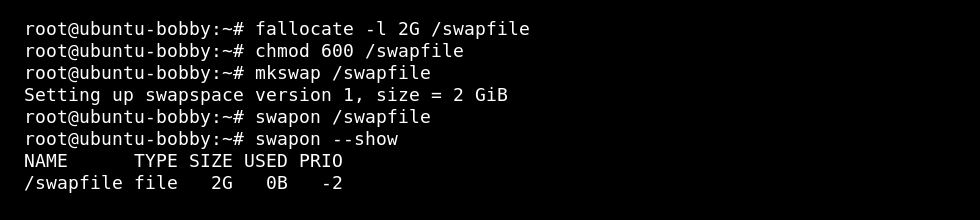
- Create a 2 GB swap file:
sudo fallocate -l 2G /swapfile
sudo chmod 600 /swapfile
sudo mkswap /swapfile
sudo swapon /swapfile
- Enable the swap file after reboot:
echo '/swapfile none swap sw 0 0' | sudo tee -a /etc/fstab
- Check it is active:
free -h
swapon --show
How much swap should you add?
For most small VPS use cases, 1 GB to 4 GB of swap is enough. Do not create swap larger than the free disk space can comfortably support.
If the VPS is running a memory-heavy game server, swap may prevent a crash during a spike, but it will not fix performance problems caused by not having enough RAM.
Do not create a huge swap file on a small disk. Leave enough free disk space for logs, updates, and backups.
