Guilds are Palworld player groups used for shared progression and base ownership. On a dedicated server, guild limits and inactive-guild cleanup matter because they can affect long-running worlds with many groups.
The main guild controls are in PalWorldSettings.ini under Misc Options.
- Open your Palworld server in the control panel.
- Click Configuration Files.
- Open
PalWorldSettings.iniwith Config Editor.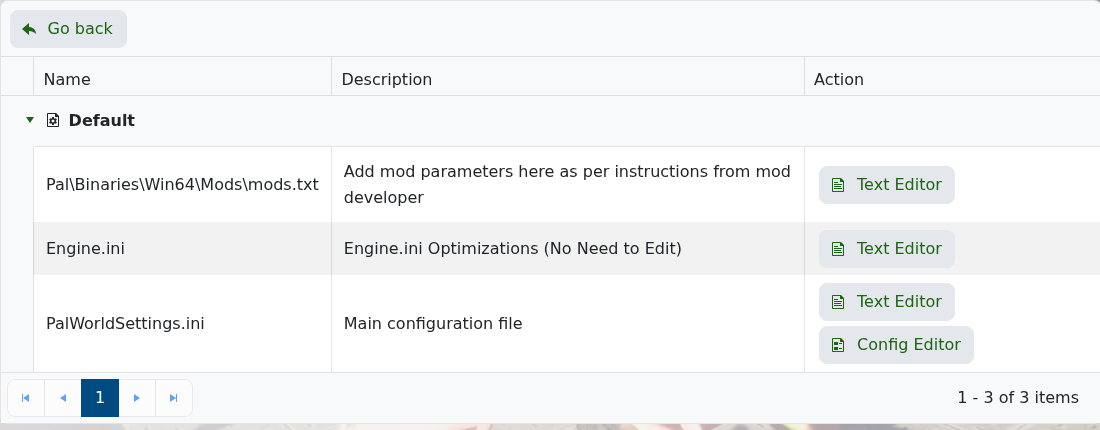
- Scroll to Misc Options.
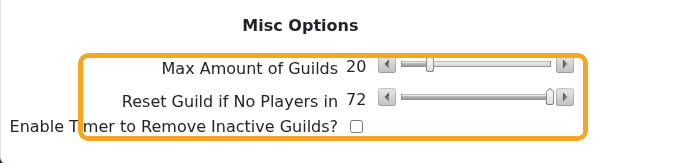
- Use Max Amount of Guilds to control how many guilds can exist.
- Use Reset Guild if No Players in and Enable Timer to Remove Inactive Guilds? only if you want inactive guild cleanup.
- Click Save & Exit, then restart the server if you changed anything.
Be careful reducing guild limits on an active server. If players already have established bases and guilds, take a backup first: How to Backup your Palworld Server.
