Update Rocket Mod from the Unturned Mod Manager. Stop the server first, then run the Rocket Mod install/update action so TCAdmin refreshes the Rocket files.
Update Rocket Mod
- Open your Unturned server in the control panel.
- Stop the server.
- Open Mod Manager.
- Find Rocket Mod.
- If Rocket is already installed, use the available update or reinstall action for Rocket Mod.
- Wait for the task to finish.
- Start the server.
- Check the console or log viewer for Rocket startup errors.
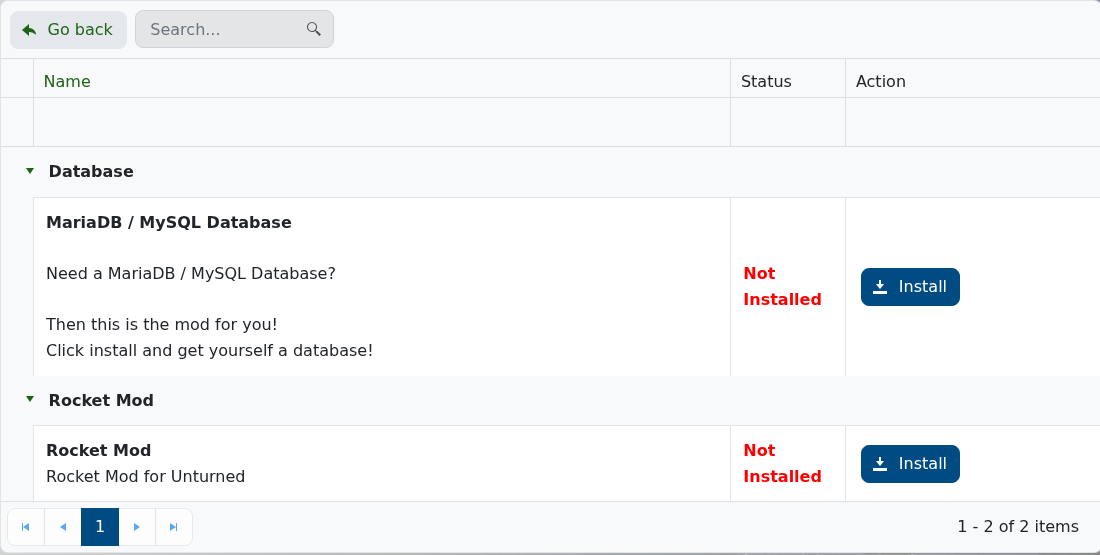
If Rocket is not installed
Install Rocket Mod first, then add or update plugins afterwards. See Installing Rocket Mod on an Unturned Server.
Troubleshooting
- If a plugin fails after the update, check whether that plugin supports the new Rocket build.
- If Rocket does not load, run the Mod Manager action again while the server is stopped.
- If you need to roll back, restore the backup you made before updating and test the server before adding new plugins.
- If the service will not start, submit a support ticket with the latest console output.
