
Delete Empyrion player data when you need to reset one player without wiping the whole world. Player data is stored inside the active save under Saves/Games/<SaveName>/Players. The folder may not exist until players have joined the server.
Reset One Player
- Ask the player for their SteamID64, or find it using: How to find your personal Steam ID64 number.
- Take a backup first: How to backup your Empyrion server save.
- Stop the server.
- Open File Manager.
- Go to
Saves/Games, then open the active save folder. The active save name is theGameNamevalue inserver.yaml.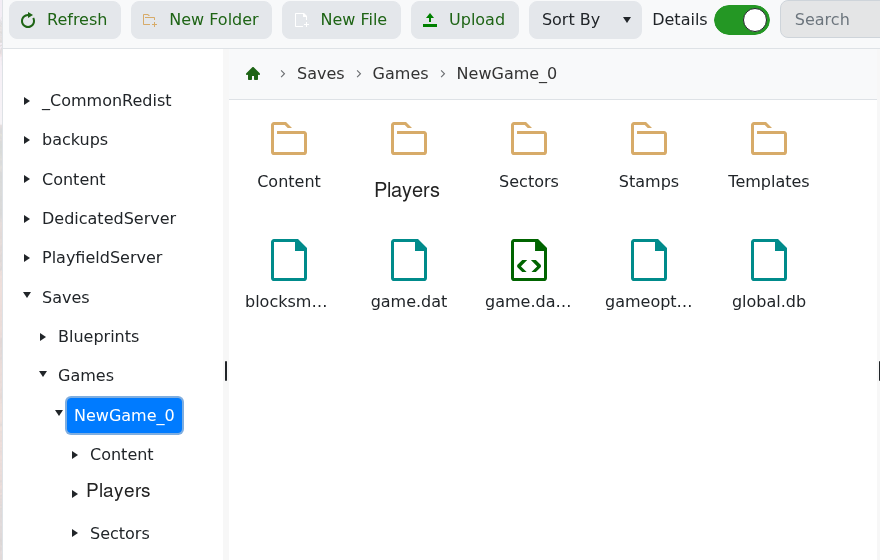
- Open the
Playersfolder. If there is noPlayersfolder, that save does not currently have generated player data to delete. - Delete the player file or folder matching the SteamID64.
- Start the server and ask the player to rejoin.
Only delete the target player data. Removing world files such as game.dat or global.db can damage or reset more than one player.


