如何使用 Steam Update 更新你的 Squad 服务器

列印
  • 0

当你的 Squad 服务器需要最新的专用服务器文件时,请运行 Steam Update。请先备份配置。

  1. 在游戏控制面板中打开你的 Squad 服务并停止服务器。
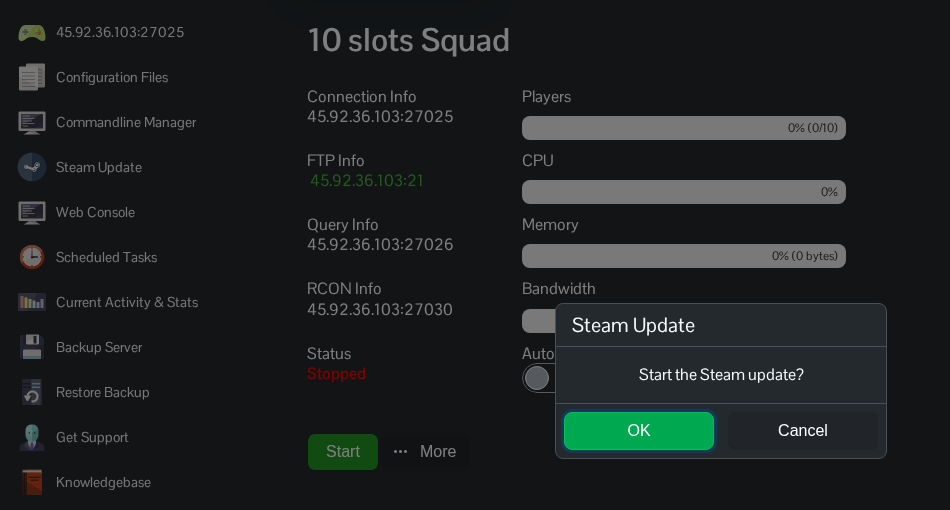
  2. 在服务菜单中点击 Steam Update,然后点击 OK 确认。

    Squad Steam Update 确认对话框

  3. 在 SteamCMD 下载并验证文件期间,请保持更新窗口打开。等待出现 Success! App '403240' fully installed.,并等待该过程完成后再启动服务器。

    SteamCMD 输出,确认专用服务器应用 403240 已完全安装

  4. 返回服务页面并启动服务器。等服务器完全加载第一个 layer 后,再让玩家重新连接。

這篇文章有幫助嗎?

相關文章

« 返回

Follow us on Social Media

Stay in the loop! Follow our social media accounts and stay up-to-date with the latest news, announcements, tips & tricks and behind-the-scenes insights!