Add an Astroneer dedicated server from the game's Dedicated Servers menu using the connection address shown in your LogicServers control panel.
- Open your Astroneer service and check that its status is Running.
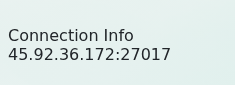
- Copy the full Connection Info value, including the port.
- Start Astroneer and open Dedicated Servers.
- Choose Add Dedicated Server, then enter the IP address and port from the control panel in the corresponding fields.
- Add a recognisable name for the entry, save it and select the server to join.
- Enter the join password if the server is password protected.
If it does not connect, recheck every digit of the address and port, make sure the server and game client are updated, and wait a few minutes after a restart before trying again. Include the address and the exact in-game error when submitting a support ticket.
