Astroneer's automatic save and save-backup intervals are measured in seconds. The current defaults are 900 seconds between autosaves and 7200 seconds between save backups.
- Open your Astroneer server in the control panel and stop it.
- Click Configuration Files, then open
AstroServerSettings.iniwith Text Editor. - Set
AutoSaveGameIntervalto the number of seconds between normal saves. - Set
BackupSaveGamesIntervalto the number of seconds between Astroneer's own save backups.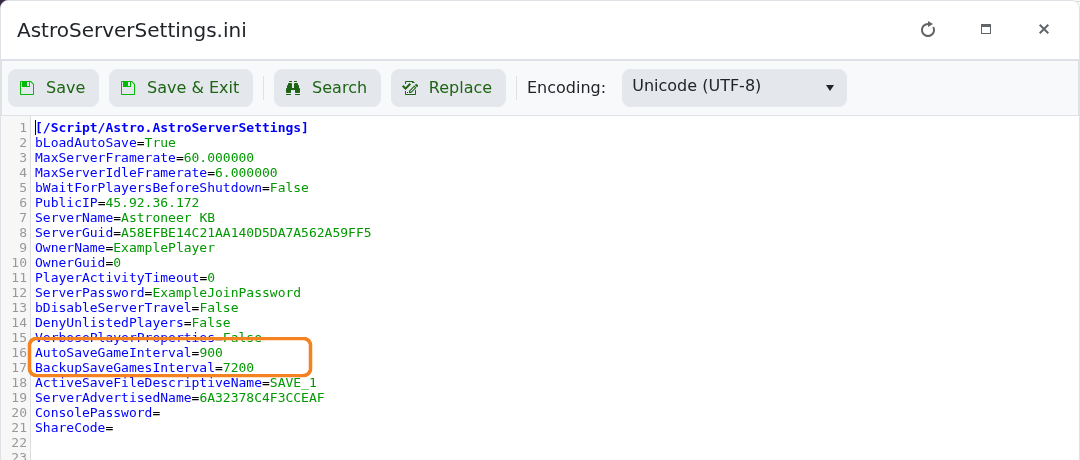
- Click Save & Exit, then start the server.
For reference, 300 seconds is 5 minutes, 900 is 15 minutes and 3600 is 1 hour. Very short intervals can cause unnecessary disk activity, so make gradual changes and keep the save-backup interval longer than the autosave interval.
