An Astroneer join password keeps the server private. It is separate from the console password and should only be shared with players who are allowed to connect.
- Open your Astroneer server in the control panel and stop it.
- Click Configuration Files, then open
AstroServerSettings.iniwith Text Editor. - Find
ServerPassword=and add the new password after the equals sign, for exampleServerPassword=ExampleJoinPassword.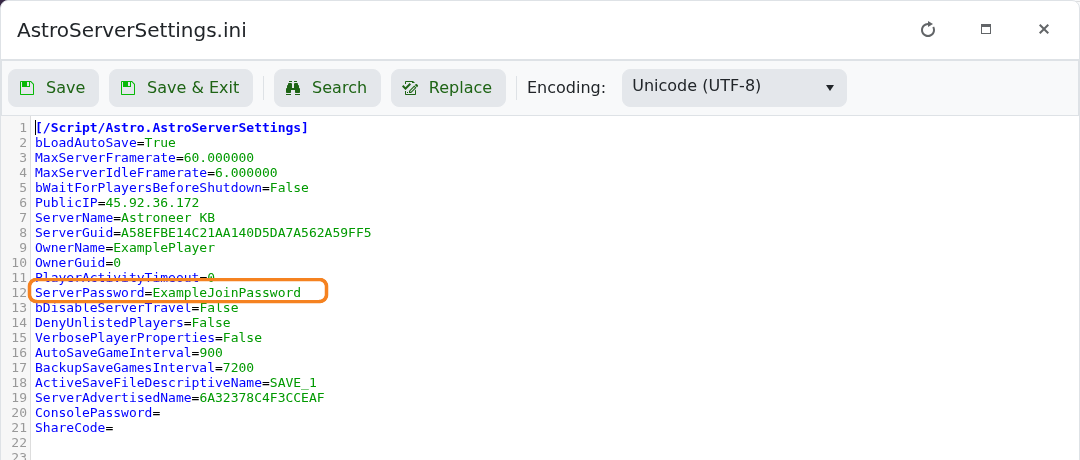
- Click Save & Exit, start the server and reconnect using the new password.
To remove password protection, stop the server, leave the value empty as ServerPassword=, save and start it again. Passwords are case-sensitive.
