Valheim server admins are listed in adminlist.txt. Add your SteamID64 to that file, save it, then restart the server so Valheim loads the admin list.
- Find your SteamID64: How to find your personal Steam ID64 number.
- Open your Valheim server in the control panel.
- Click Configuration Files.
- Open
adminlist.txtwith Config Editor.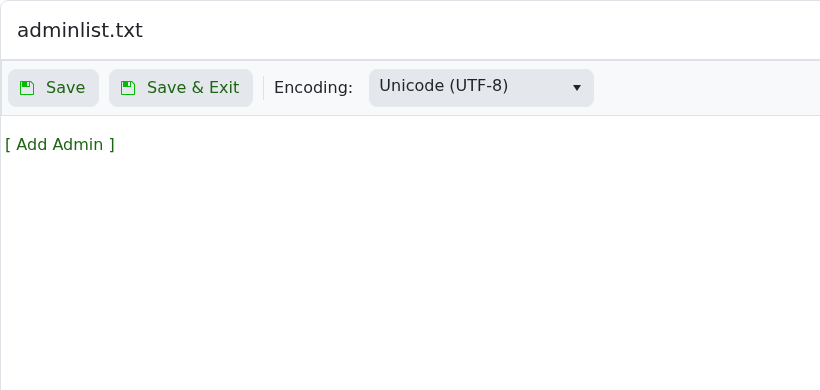
- Click [ Add Admin ].
- Enter the player's SteamID64 into the SteamID64 field. Use [ Add Admin ] again if you need to add more admins.
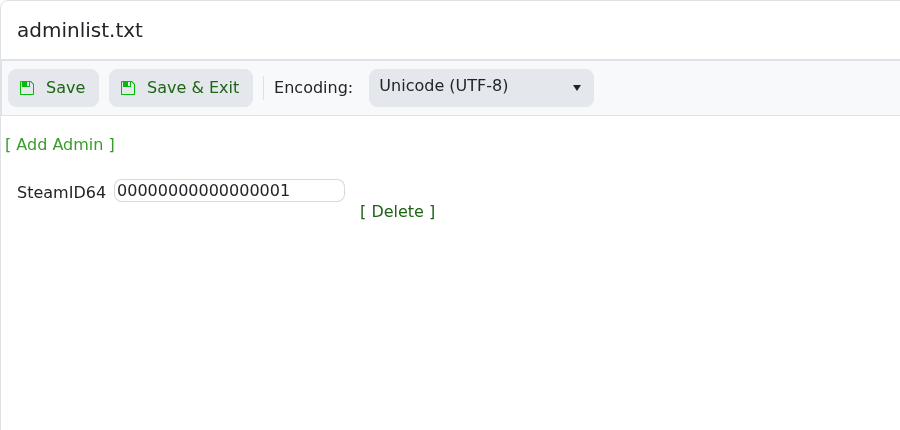
- Use [ Delete ] next to an admin row if you need to remove that admin.
- Click Save & Exit, then restart the server.
Please note that as of the 1.0 release you need to add V_ before the Steam ID so it looks like V_7656119XXXXXXXXXX
After joining the server, open the Valheim console with F5. If the console does not open, enable the Valheim console in your Steam launch options using -console.
