How to change player building and storage permissions in Return to Moria

Use MoriaServerPermissions.txt to control whether individual Return to Moria players can build, use quick-build structures or access shared storage. The file documents the supported permission names and must only be changed while the server is stopped.

  1. Open your Return to Moria server in the control panel and stop it.
  2. Click Configuration Files, then Text Editor beside MoriaServerPermissions.txt.
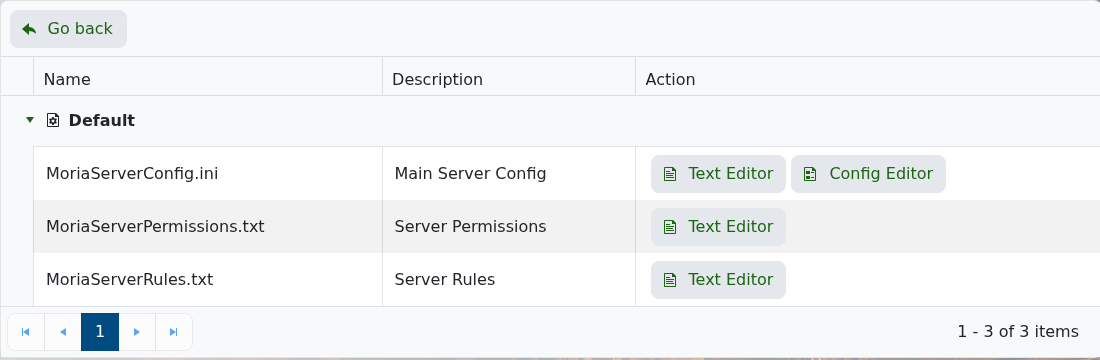
    Return to Moria Configuration Files showing MoriaServerPermissions.txt

  3. Add one line for each player using ACCOUNT_NAME = Option,Option.
  4. Use NoConstruction, QuickBuild or AllConstruction for building access, and NoStorage or AllStorage for storage access.
  5. Use Default when a player should inherit the default permissions.
  6. Click Save & Exit, then start the server.
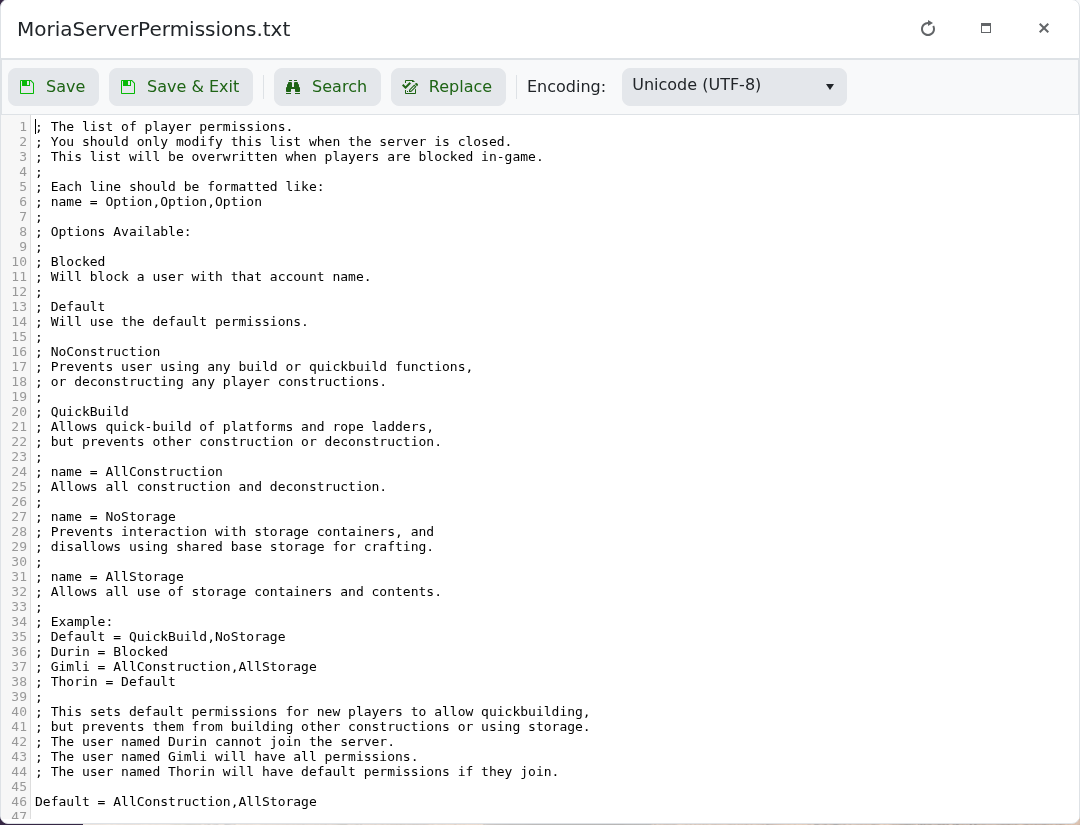
    Return to Moria permissions file showing construction and storage permission options

For example, Gimli = AllConstruction,AllStorage gives Gimli full building and storage access, while Default = QuickBuild,NoStorage applies those restrictions to players without their own line. Keep account names and option spelling exactly as shown in the file.

  • 0 Users Found This Useful
Was this answer helpful?

Related Articles

Changing the name of your Return to Moria Server

You can change the public name of your Return to Moria server from the configuration editor in...

How to update your Return to Moria Server

Use Steam Update when Return to Moria releases a server update or when your game client says the...

Setting a password on your Return to Moria Server

A server password helps keep your Return to Moria world private. Add or change the password from...

How to change the settings of your Return to Moria server

We allow full customization of your The Lord of the Rings: Return to Moria server hosting on our...

How to backup your Return to Moria Server

Return to Moria servers can have scheduled backups, but you should still run a manual backup...