A Rising World join password stops players connecting unless they know the password. It can be changed from the Config Editor without editing server.properties by hand.
- Open your Rising World server in the control panel and stop it.
- Click Configuration Files.
- Click Config Editor beside
server.properties. - Enter the password in Server Password, then click Save & Exit.
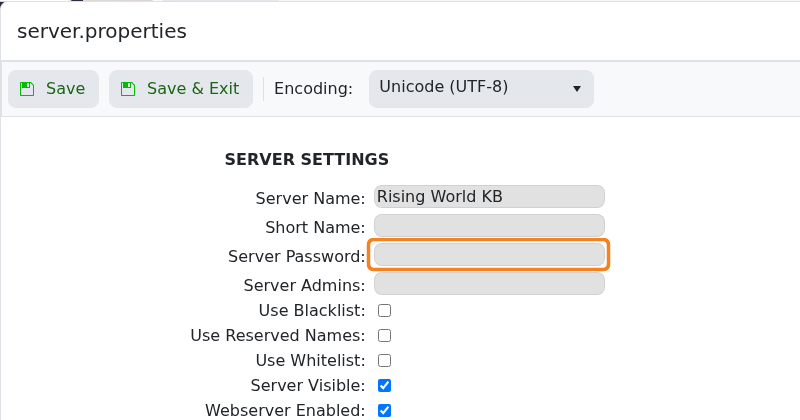
- Start the server and reconnect using the new password.
To remove password protection, stop the server, clear the Server Password field, save and start it again. Anyone who knows the server address will then be able to try joining.
