A join password keeps an ATLAS server private without giving players access to admin commands. It is separate from ServerAdminPassword.
- Open your ATLAS server in the control panel and stop it.
- Click Configuration Files.
- Find
GameUserSettings.iniand click Text Editor. - Under
[ServerSettings], setServerPassword=ExampleJoinPassword, replacing the example with the password players should use.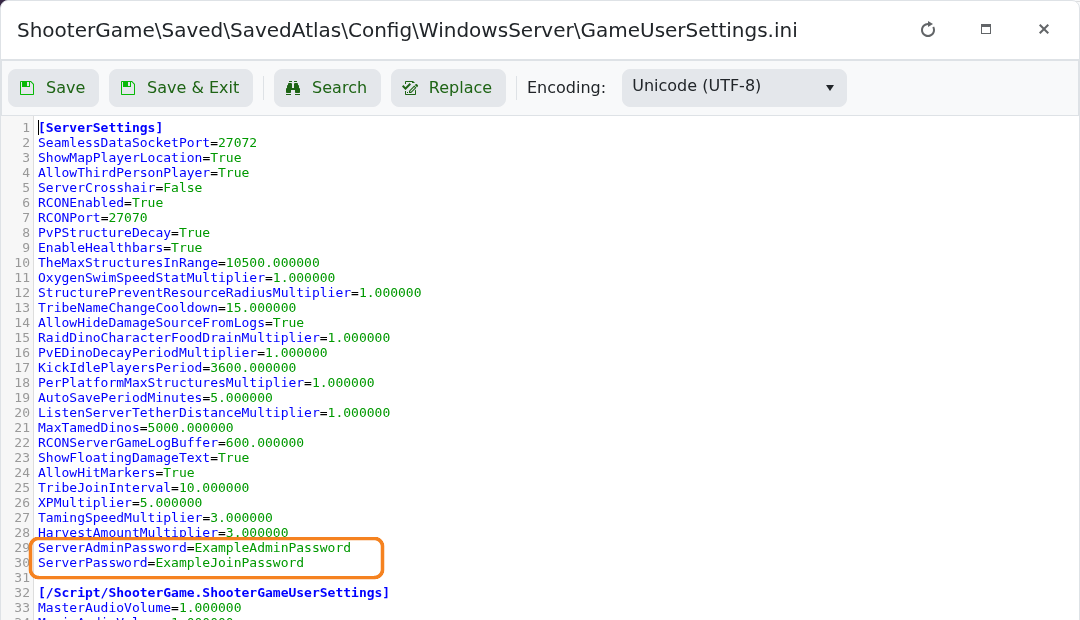
- Click Save & Exit, then start the server and reconnect with the new password.
To make the server public again, stop it, leave ServerPassword= empty, save and restart. Do not clear ServerAdminPassword unless you also intend to disable password-based admin access.
