A custom command line lets you change ATLAS startup options while keeping the original predefined command lines available.
- Open your ATLAS server in the control panel and stop it.
- Click Commandline Manager, open Custom Commandlines and click New.
- Enter a clear Description so you can recognise the command line later.
- Tick the selector checkbox on the far left for every option you want the command line to include, then set its value. A value is ignored if its selector is not ticked.
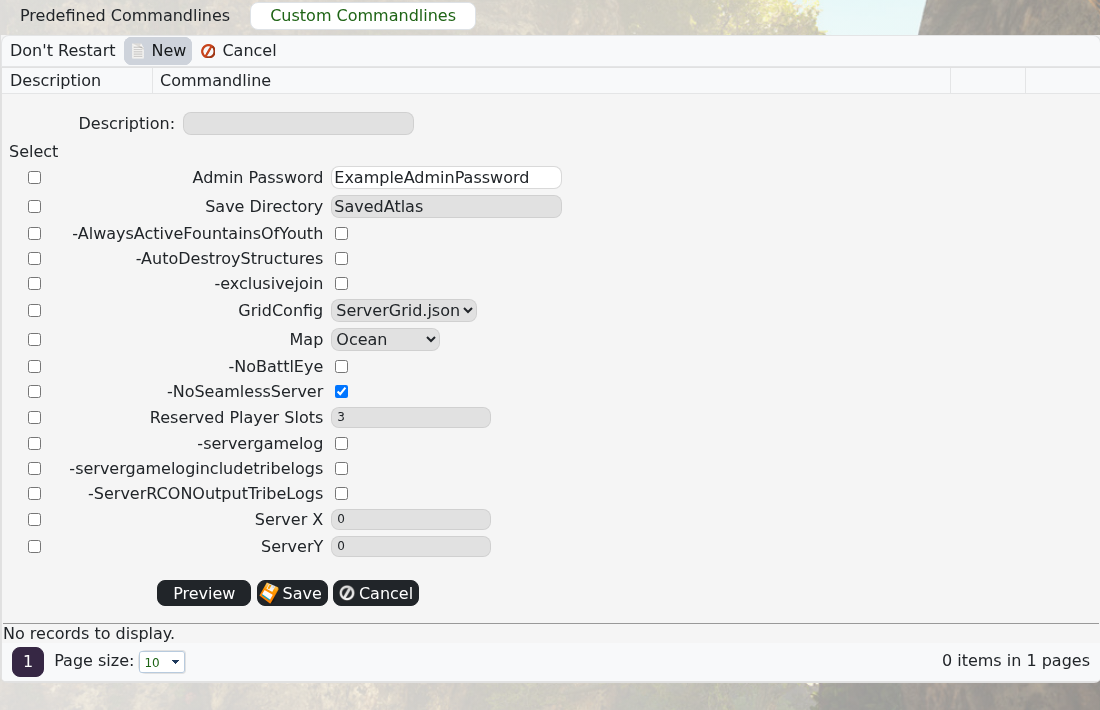
- Use Preview to check the generated command, then click Save.
- Find the new command line in the list and click Select beside it.
- Start the server and check Log Viewer if it does not finish loading.
Only enable options you understand. If the server stops starting, select the previous working command line and restart it before correcting the new one.
