Blackwood is available as a predefined ATLAS command line, so you do not need to build its startup command by hand. Changing maps can replace the world players see; take a backup before switching.
- Open your ATLAS server in the control panel, take a backup and stop it.
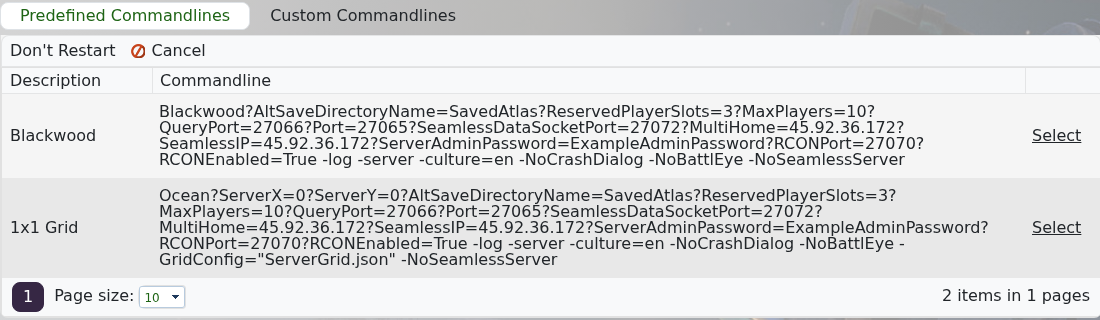
- Click Commandline Manager and stay on Predefined Commandlines.
- Find Blackwood and click Select on the right.
- Start the server and allow it time to create the Blackwood save.
- Join and confirm that Blackwood loaded before making further changes.
To return to the standard hosted grid, stop the server and select 1x1 Grid. Restoring an older backup is only necessary if you also need the world and player data from that restore point.
