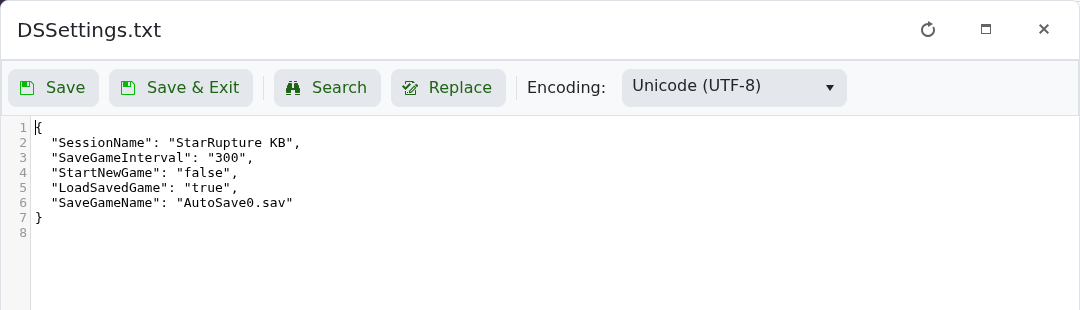
DSSettings.txt is stored in the server's root directory. The current package contains five settings.
| Setting | Purpose |
|---|---|
SessionName | The name assigned to the dedicated-server session. Edit this through Text Editor. |
SaveGameInterval | The configured save interval. The package default is 300. |
LoadSavedGame | Tells the server to load an existing save at startup. |
StartNewGame | Tells the server to start a new game rather than load the selected save. |
SaveGameName | The save filename selected for loading; the package default is AutoSave0.sav. |
Do not enable both startup modes together. Download a copy of the file before changing save-selection settings, and leave the filename unchanged unless the required save exists.
