worldSeed controls generation for a new world. It does not rebuild terrain that already exists, so choose the seed before the new slot is first loaded.
- Stop the server and open
ServerConfig.json. - Select an unused
worldslot. - Enter the required seed as the
worldSeedstring and leavehashedWorldSeedat0.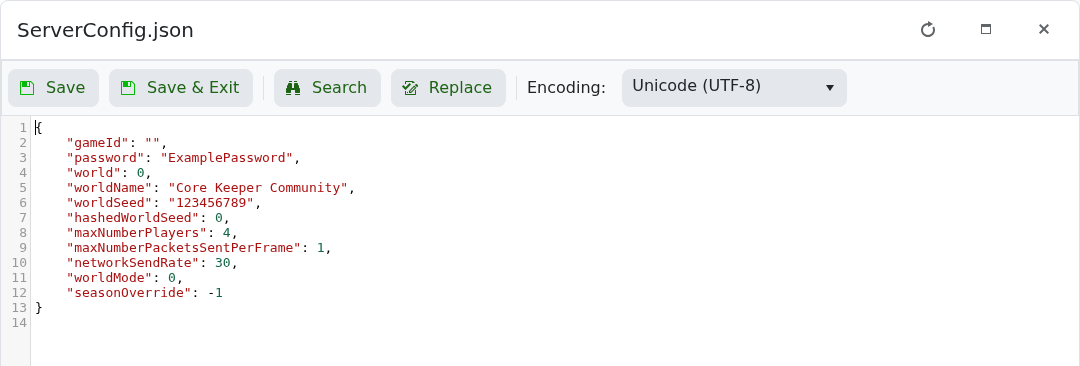
- Save the file, start the server and join the new world.
"world": 2,
"worldSeed": "123456789",
"hashedWorldSeed": 0
Use "0" when you want the game to choose a random seed. Do not change the seed on an established world and expect explored terrain to be regenerated.
