You can join your Hytale server from the in-game server browser once you have copied the server address from the LogicServers control panel.
Copy your server address
- Log in to the control panel and open your Hytale server.
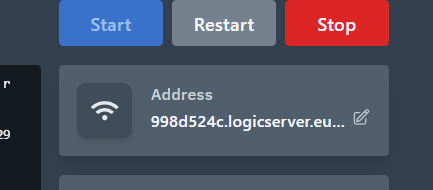
- Find the server address on the server overview page.
- Click the address to copy it. Keep the port number included if the panel shows one.
Add the server in Hytale
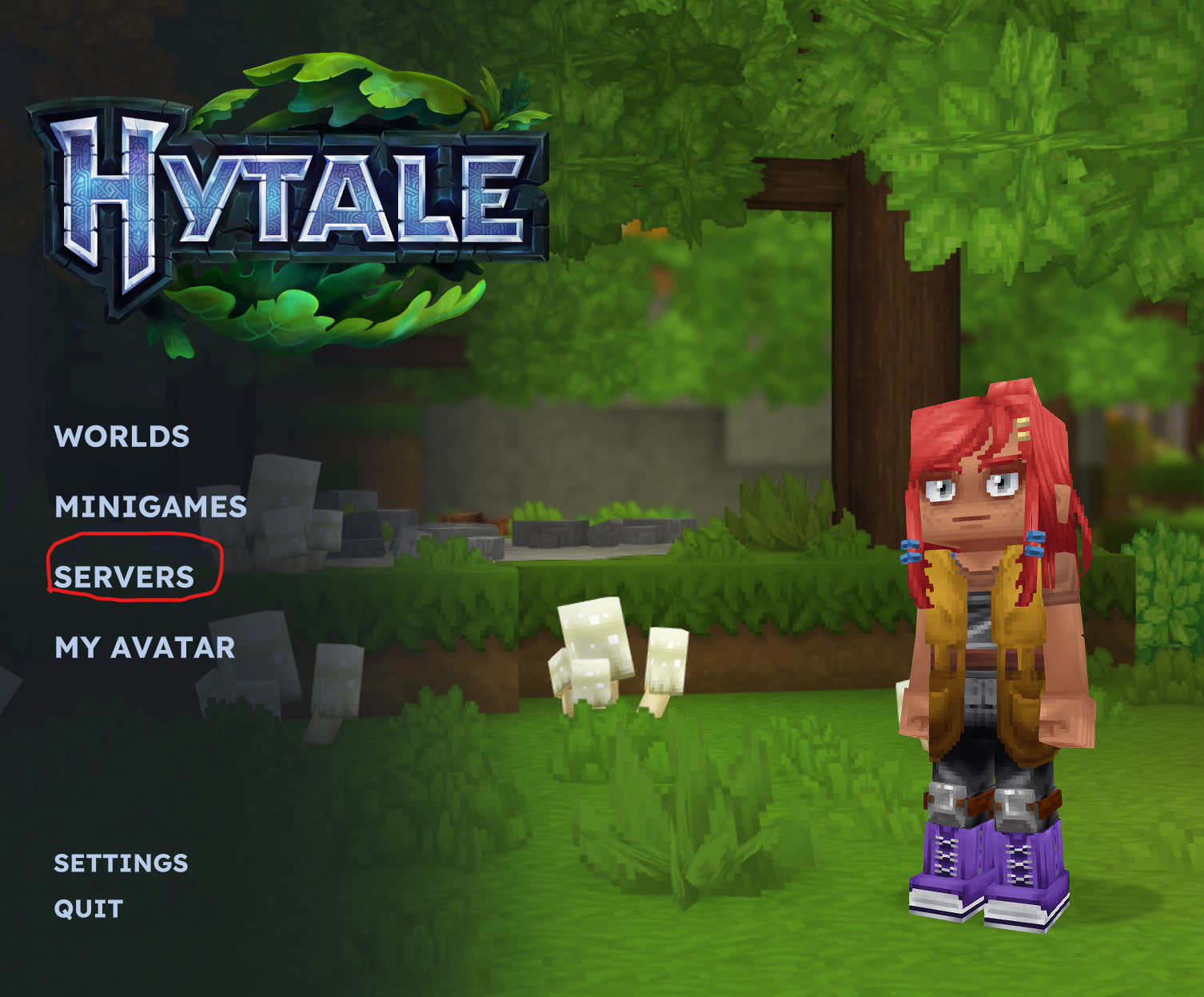
- Open Hytale.
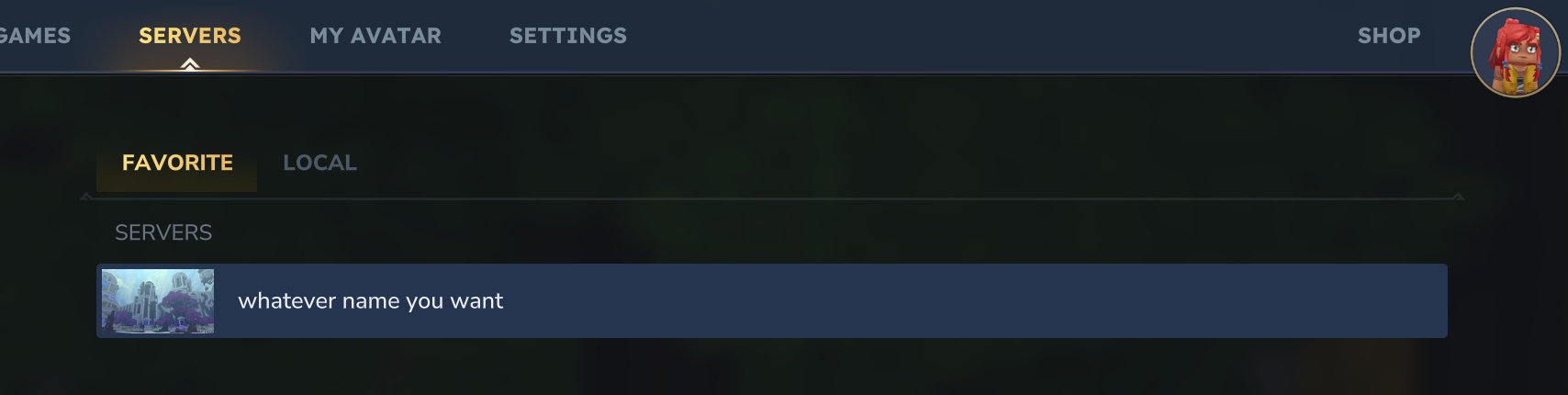
- Click Servers.
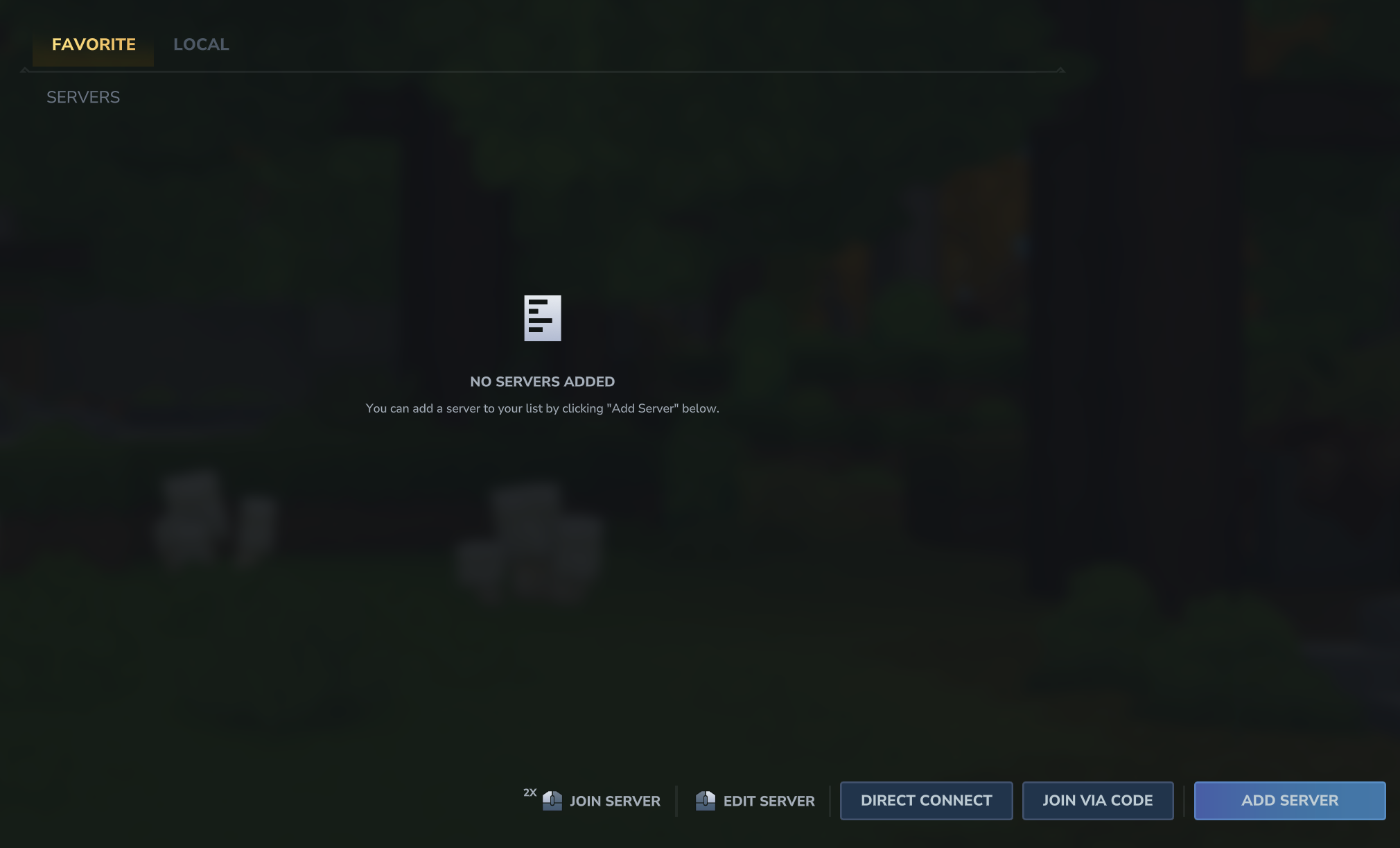
- Click Add Server. If you only want to join once, use Direct Connect instead.
Enter the connection details
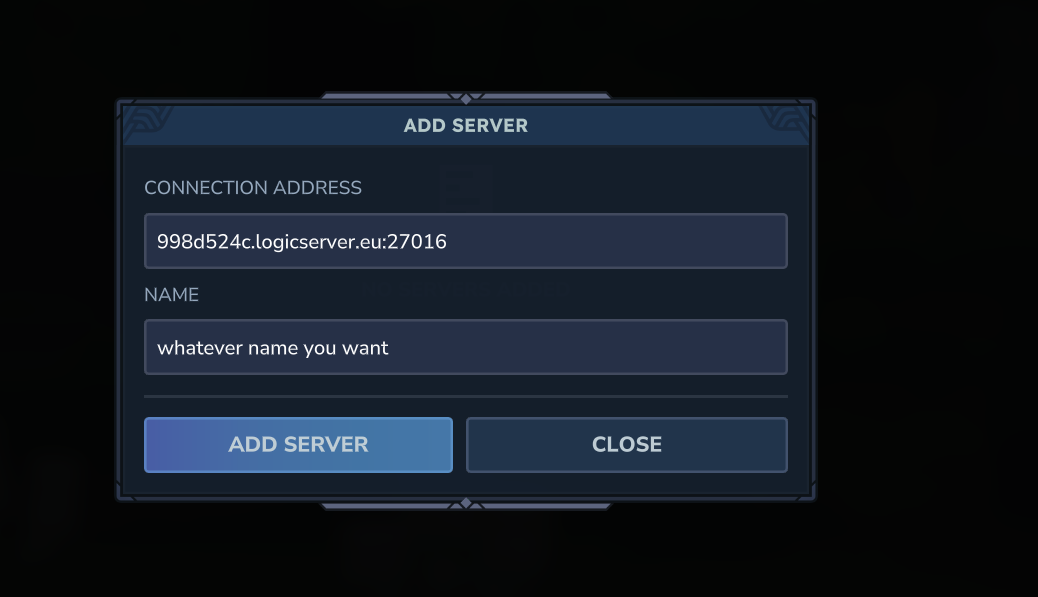
- Paste the server address into the connection address field.
- Enter a name that helps you recognise the server.
- Click Add Server.
- Double-click the server in your list to join.
If you cannot connect
- Check that the server is online in the control panel.
- Make sure you copied the full address, including the port if one is shown.
- Restart the game client and try Direct Connect.
- If the server still does not appear, submit a support ticket with the address you are using and any error shown by the game.
