Create a backup before changing settings, installing mods, running major updates, or doing anything that could affect world progress. Backups give you a restore point if something goes wrong.
Create a control panel backup
- Open the Hytale server you want to back up.
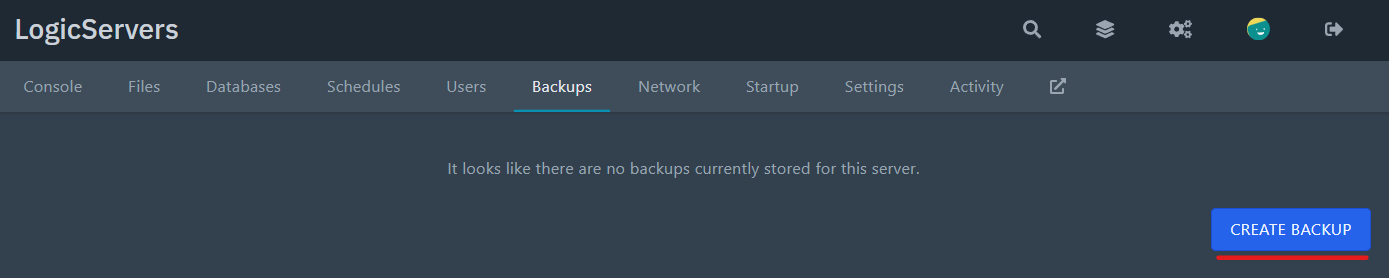
- Click the Backups tab at the top of the server page.

- Click Create Backup.
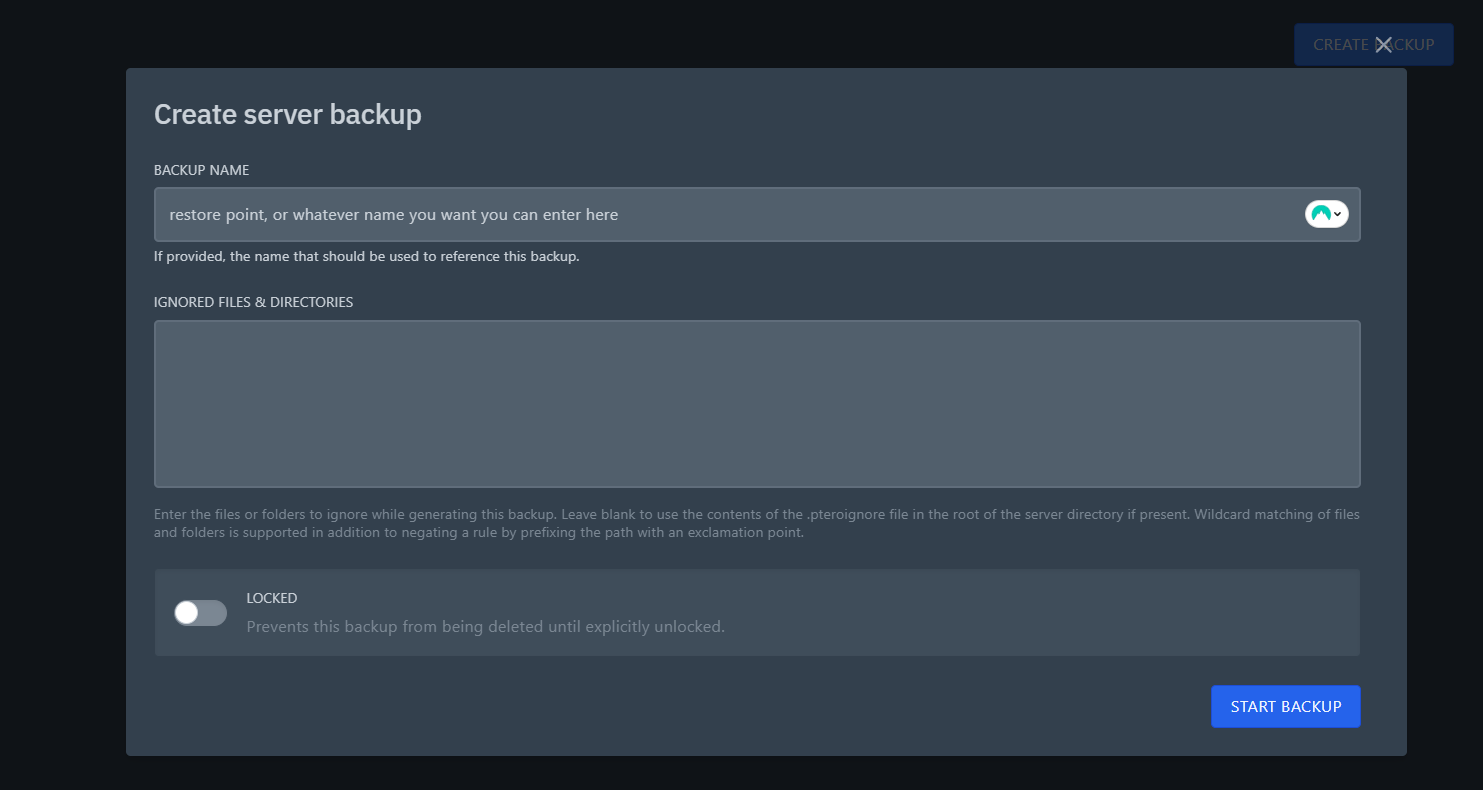
- Enter a backup name that you will recognise later.
- Leave Ignored Files & Directories blank unless you specifically want to exclude files from the backup.
- Enable the locked option if you do not want the backup to be deleted automatically when backup slots are reused.
- Click Start Backup.
Backup slots
The backup can take a while on larger servers. When it finishes, it will appear in the backup list and can be restored later.
Most Hytale server plans include backup slots. When all slots are full, older unlocked backups can be overwritten by newer backups. Lock a backup if you need to keep that restore point.
Next steps
If you need to roll back later, follow the guide to restore a Hytale backup. If you need more backup slots, upgrade the service from the client area or submit a support ticket.
