Set a join password in cfg/server.cfg when you want to keep your Necesse world private. Players will need it when connecting.
- Stop your server in TCAdmin and wait for its status to show Stopped.
- Open Configuration Files and click Text Editor beside
server.cfg. - Find the
passwordentry. Enter your own password between the equals sign and the comma, leaving the comma in place.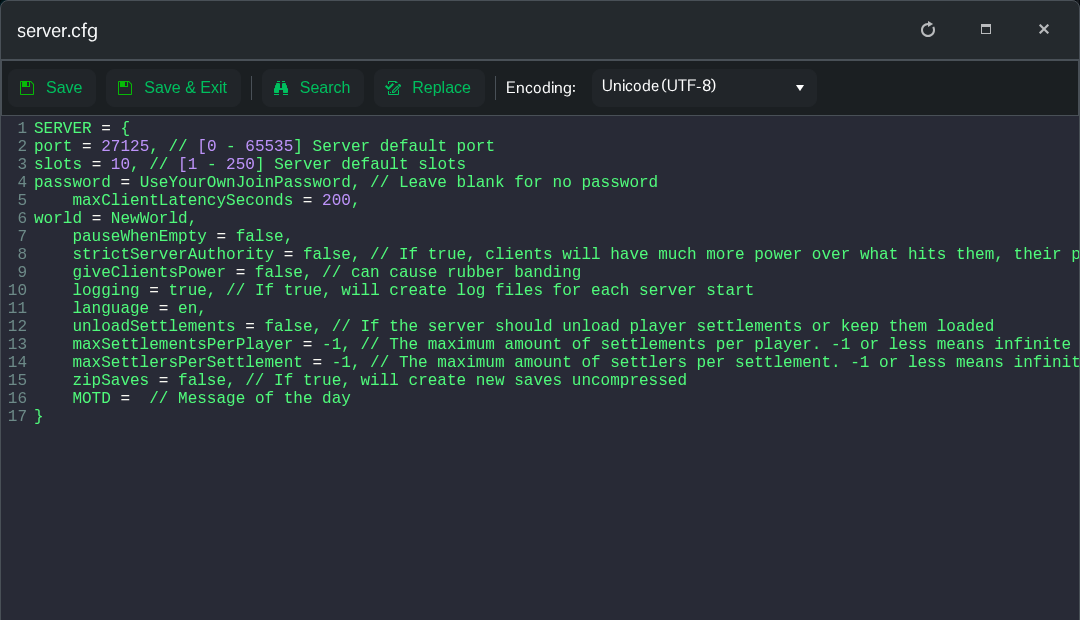
- Click Save & Exit and start the server.
- Reconnect to the server and give the new password to the players you want to invite.
For example, replace YourOwnPassword below with the password you want to use.
password = YourOwnPassword,To remove the password, leave its value empty, save and restart.
password = ,The Config Editor for this file currently exposes the world name, so use Text Editor for the password.
