Necesse can keep a player's inventory when they die. Change the death penalty in the active world's settings file.
- Back up the server, then stop it.
- Open File Manager and go to
saves/worlds/<world name>. Editing the file over FTP is also an option. - Open
worldSettings.cfgand finddeathPenalty. - Set its value to
NONE, keeping the comma at the end of the line.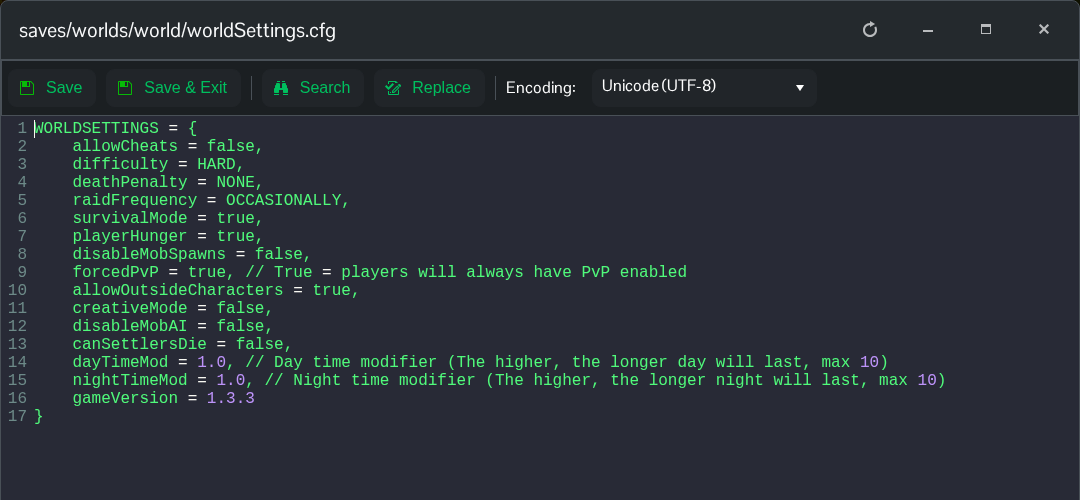
- Click Save & Exit and start the server.
deathPenalty = NONE,This applies to future deaths. It does not recover items already dropped or revive a character that has died in Hardcore mode.
To return to the default materials drop, use the following value instead.
deathPenalty = DROP_MATS,Edit the file inside your current world folder. The old world entry under Configuration Files is a separate template and does not change the running world's settings.
