Difficulty is saved with the world. Edit the generated worldSettings.cfg inside your active world folder.
- Back up the server, then stop it and wait for Stopped.
- Open File Manager and go to
saves/worlds/<world name>. You can also download, edit and upload the same file using FTP. - Open
worldSettings.cfgand change the value afterdifficulty =, keeping the comma.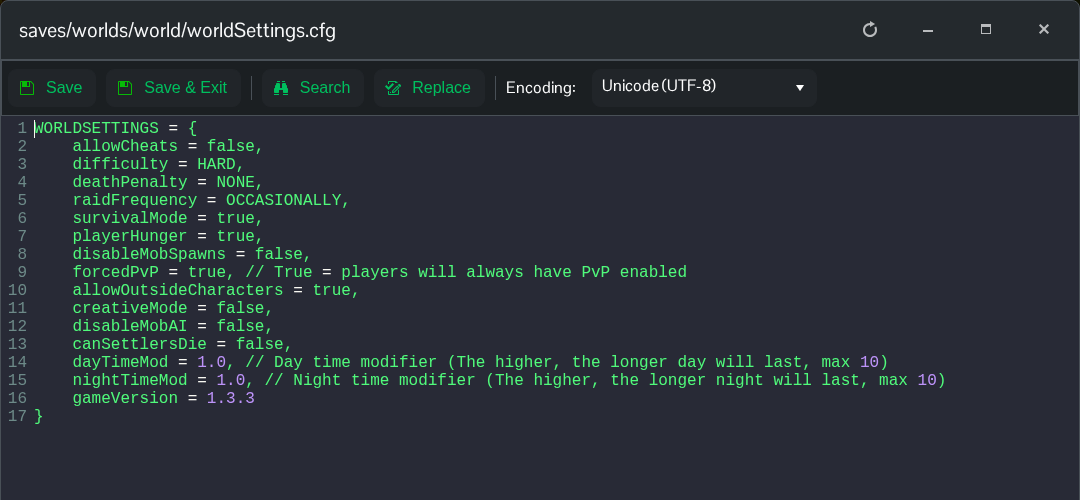
- Click Save & Exit and start the server.
difficulty = HARD,| Value | Difficulty |
|---|---|
CASUAL | Casual |
ADVENTURE | Adventure |
CLASSIC | Classic |
HARD | Hard |
BRUTAL | Brutal |
Use your actual world folder name. The separate entry named world under Configuration Files currently opens an older template, so use the generated file in File Manager. This changes the existing world without replacing its terrain or buildings.
