forcedPvP controls whether players must have PvP enabled. Set it in the active world rather than in the general server configuration.
- Let your players know before changing the rule, then back up and stop the server.
- Open File Manager and go to
saves/worlds/<world name>. You can also edit the same file over FTP. - Open
worldSettings.cfgand findforcedPvP. - Use
trueto require PvP orfalseto stop forcing it. Keep the comma after the value.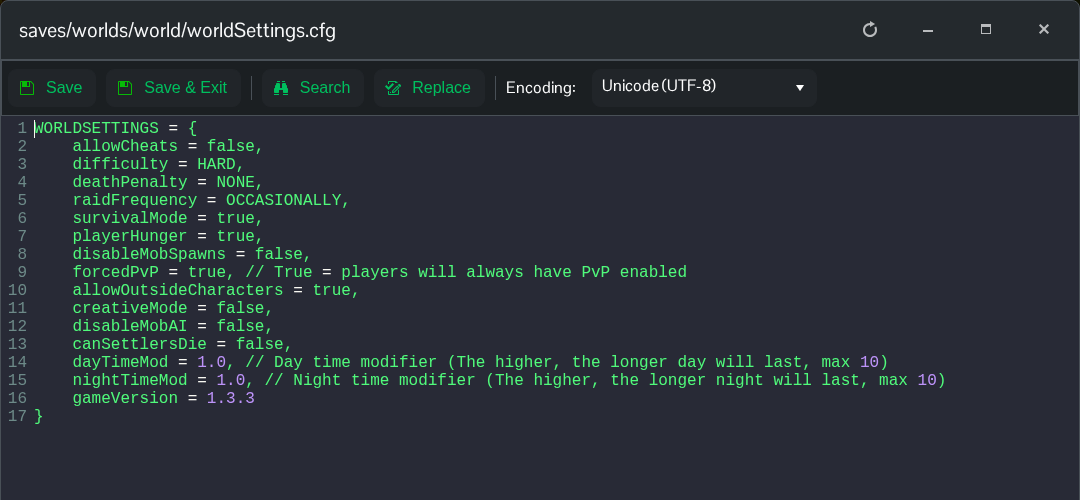
- Click Save & Exit and start the server.
forcedPvP = true,Setting this to false allows the game's normal player PvP choices. It does not mean that every possible player-versus-player interaction is disabled. Use the generated file in the current world's folder, rather than the older world template listed under Configuration Files.
