Use pauseWhenEmpty to pause the world after the last player leaves. This lets your group leave the server online without keeping the world running while nobody is playing.
- Stop the server in TCAdmin and wait for Stopped.
- Open Configuration Files and choose Text Editor beside
server.cfg. - Find
pauseWhenEmptyand set it totrue. Leave the comma after the value.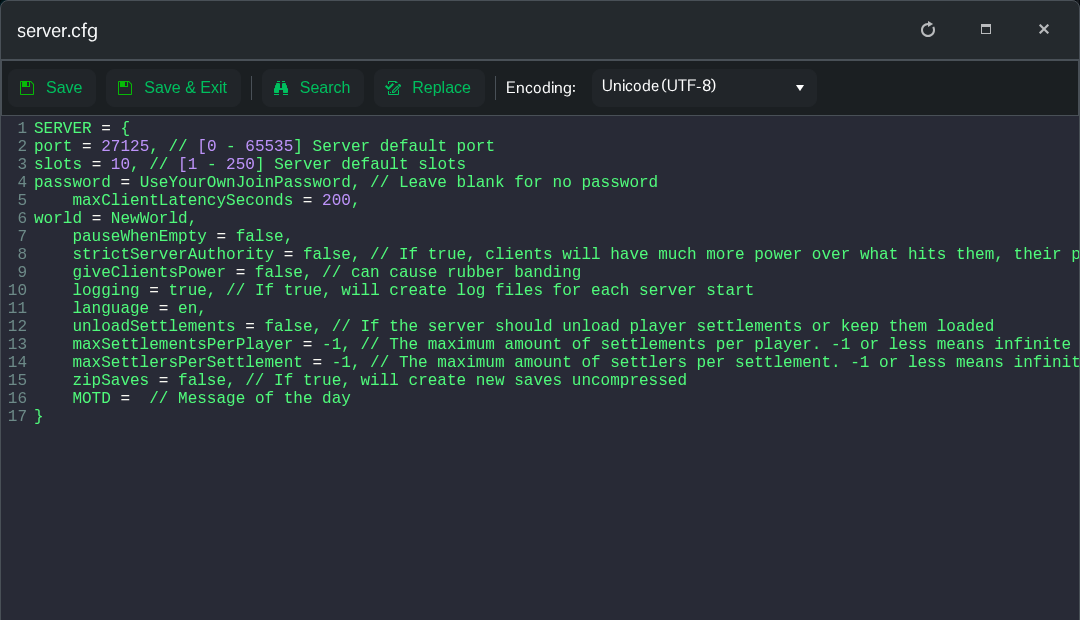
- Click Save & Exit and start the server.
pauseWhenEmpty = true,Use false instead when you want the world to continue running without connected players. The server still appears online when paused and can accept connections; pausing the world does not stop the TCAdmin service.
This setting belongs in cfg/server.cfg. It is separate from the difficulty and PvP settings in the world's own worldSettings.cfg.
