The join password controls who can connect. It is separate from the admin password used for server administration.
Use Config Editor
- Stop the server and wait for Stopped.
- Open Configuration Files and click Config Editor beside
ServerSettings.ini. - Enter your own password in Password. Leave Admin Password for your administrators.
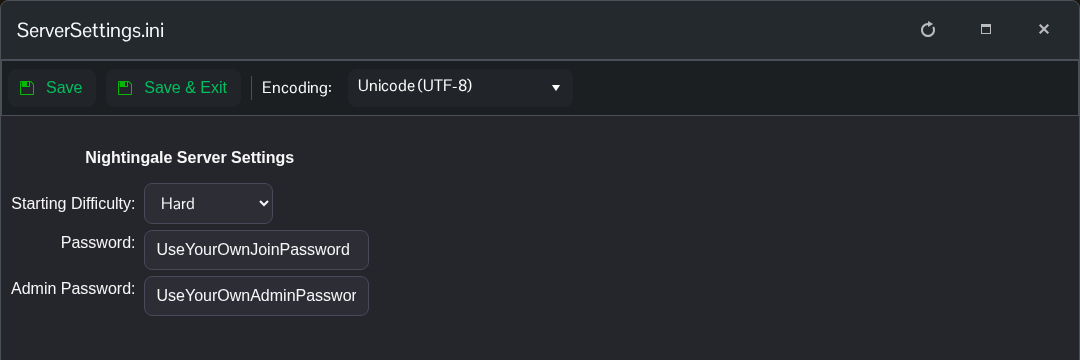
- Click Save & Exit and start the server.
Use Text Editor
You can also open Text Editor beside the same file. Under [/Script/NWX.NWXServerSettings], change Password, save and start the server.
[/Script/NWX.NWXServerSettings]
Password=YourOwnJoinPassword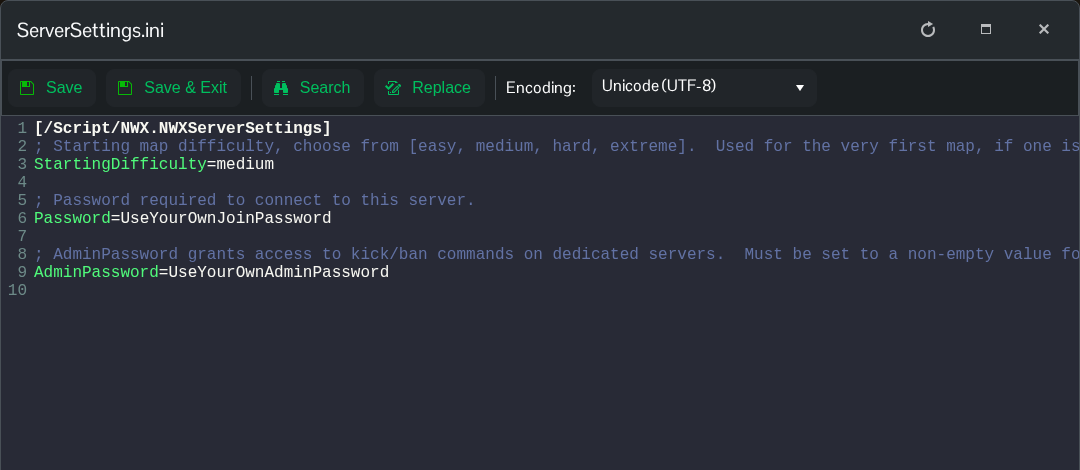
The example shows the setting to change, rather than a replacement for the whole file. Keep the other entries. To remove the join password, leave the value after Password= empty, save and restart. Give players the updated password before they reconnect.
