StartingDifficulty chooses the difficulty for the server's first map when that map is not supplied by an imported character. Set it before anyone joins a new server.
- Stop your Nightingale server and wait for Stopped.
- Open Configuration Files and choose Text Editor beside
ServerSettings.ini. - Find
StartingDifficultyunder[/Script/NWX.NWXServerSettings]and entereasy,medium,hardorextreme.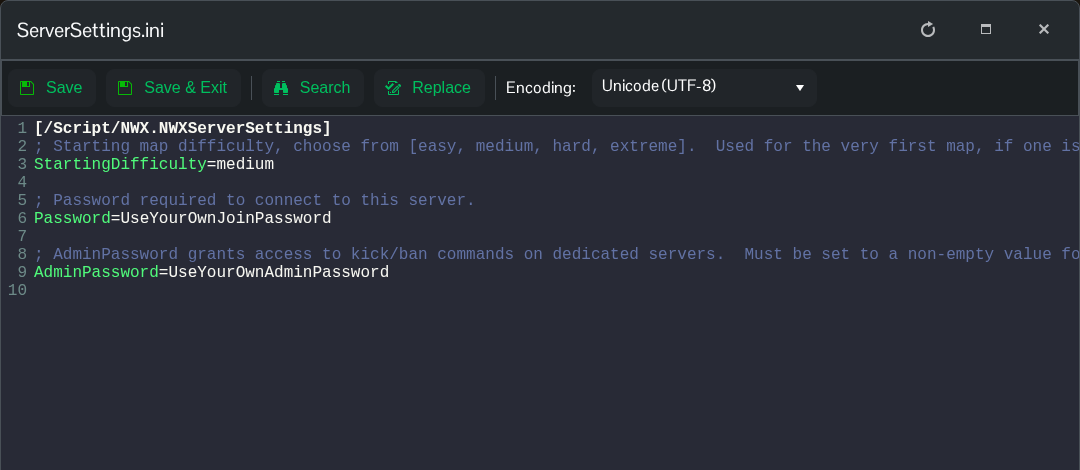
- Click Save & Exit and start the server.
StartingDifficulty=mediumUse Text Editor for this setting and check the saved line. The current Config Editor dropdown can retain a different choice from the value written to the file.
Changing the starting difficulty does not reset an existing realm or regenerate an established server. Importing a character's realms can also supply the first map, so this setting is not a way to change the difficulty of that imported map.
