Nightingale needs cheats enabled on both the dedicated server and your game client. Administrators also need the server's admin password.
- Set an Admin Password through the Config Editor for
ServerSettings.ini, then stop the server. - Open Commandline Manager and find the Cheats Enabled row.
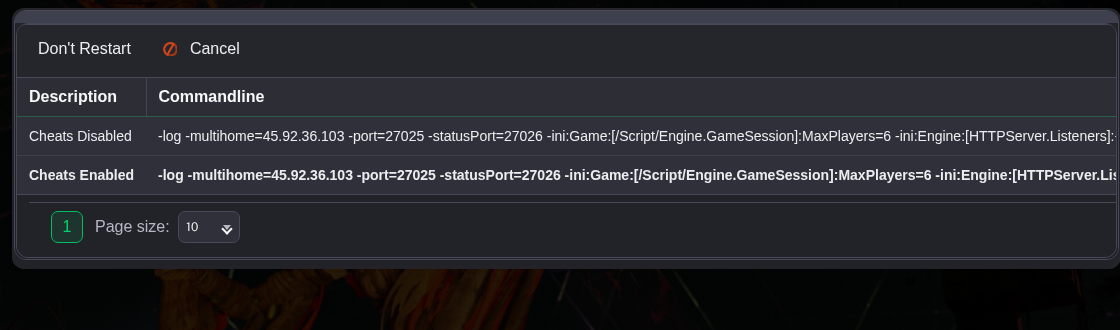
- Scroll across the table to the Select column. Click Select on the Cheats Enabled row and confirm the selection. If the panel asks about restarting, choose Don't Restart.
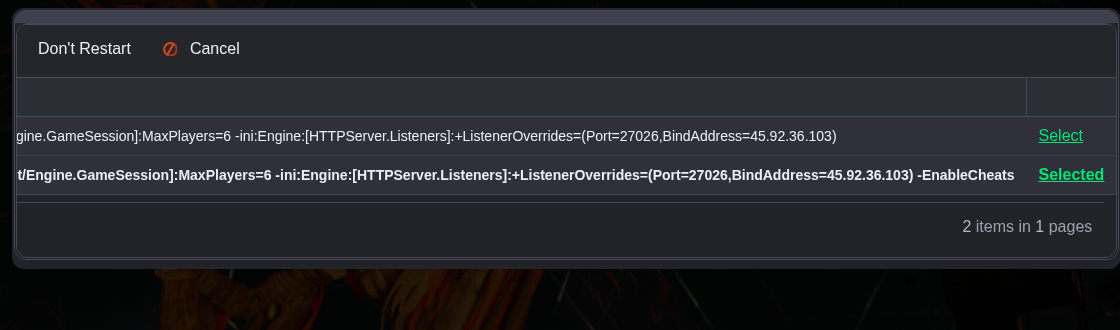
- Start the server. If you changed the command line while it was running, restart it so the new command takes effect.
- For a Steam copy of Nightingale, open the game's Properties in your Steam library. Add the following to Launch Options, keeping any other options you use.
-EnableCheats - Launch Nightingale, connect and authenticate with the admin password to use the debug tools.
The developer's cheat mode instructions cover the client launch option. To turn cheats off on the server, select Cheats Disabled in Commandline Manager and restart.
