Nightingale uses an admin password for administrative actions such as kicking and banning players. Use a different password from the one you give players for joining.
- Stop the server in TCAdmin.
- Open Configuration Files and click Config Editor beside
ServerSettings.ini. - Set Admin Password to a password shared only with your administrators.
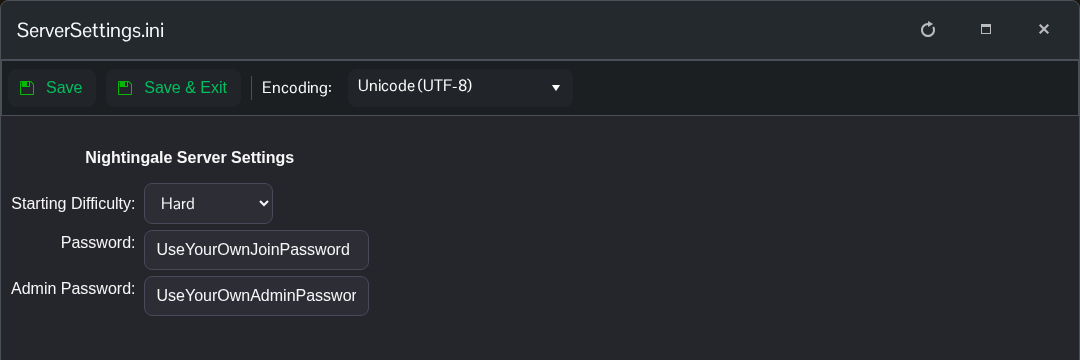
- Click Save & Exit and start the server.
For the manual method, open Text Editor beside the same file and change AdminPassword under the server settings section.
[/Script/NWX.NWXServerSettings]
AdminPassword=YourOwnAdminPassword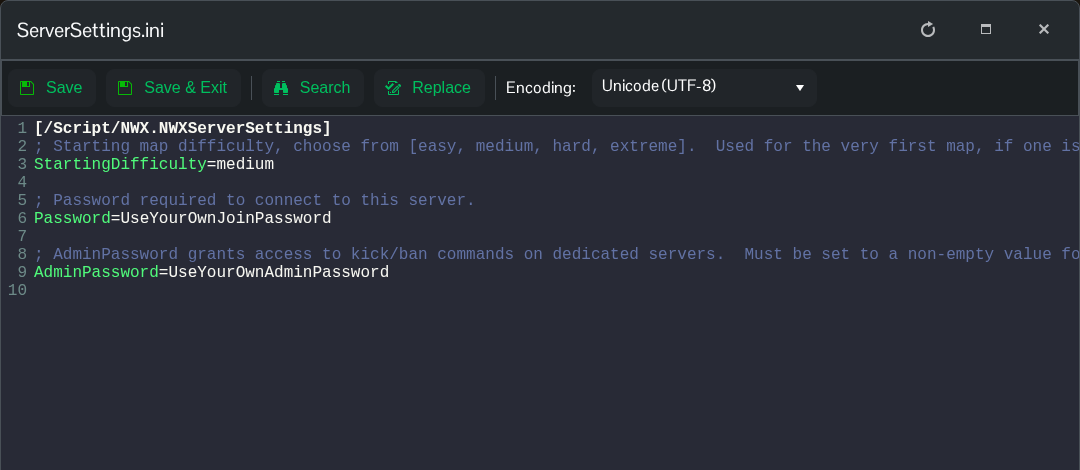
Keep the rest of the file, save and restart. Use this password when authenticating as an administrator in the game. Setting the password alone does not enable the cheat tools; those also require the Cheats Enabled command line and the client launch option.
