Back up the saved world and your server settings before an update or a major change. The panel's Nightingale backup includes NWX/Saved; keep a separate copy of NWX/Config/ServerSettings.ini as well.
- Stop the server and wait for Stopped.
- Click Backup Server and confirm with OK.
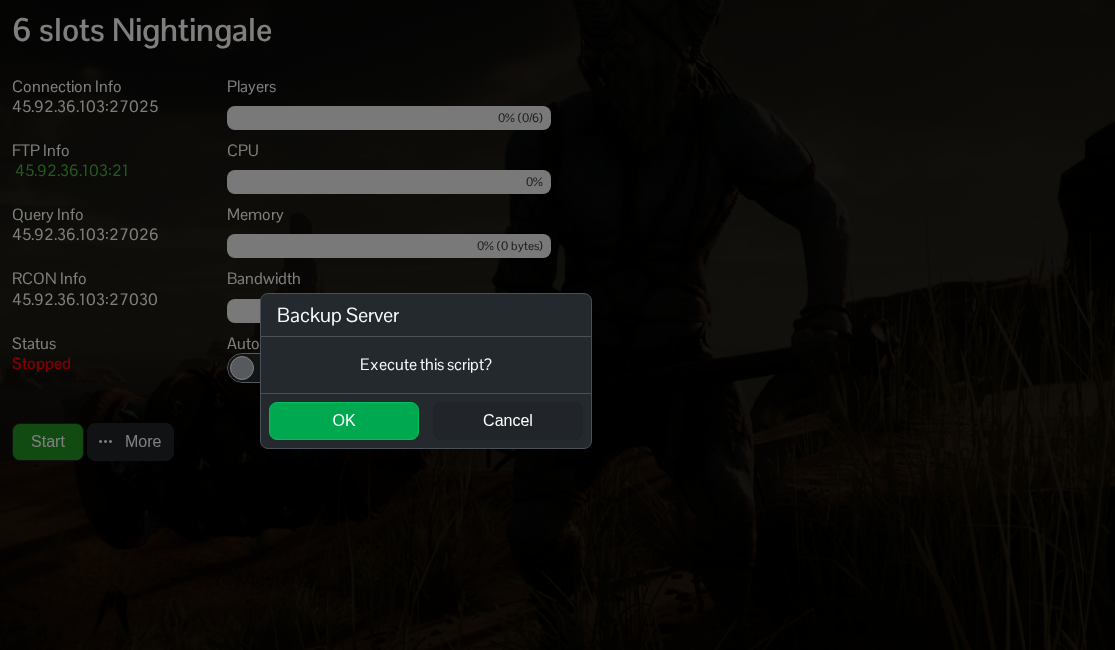
- Wait for compression and upload to the backup node to finish. Check the final completion message.
- Open File Manager and go to
NWX/Config. You can also download the settings file using FTP. - Right-click
ServerSettings.iniand choose Download. Keep it with a note of the backup's date and time.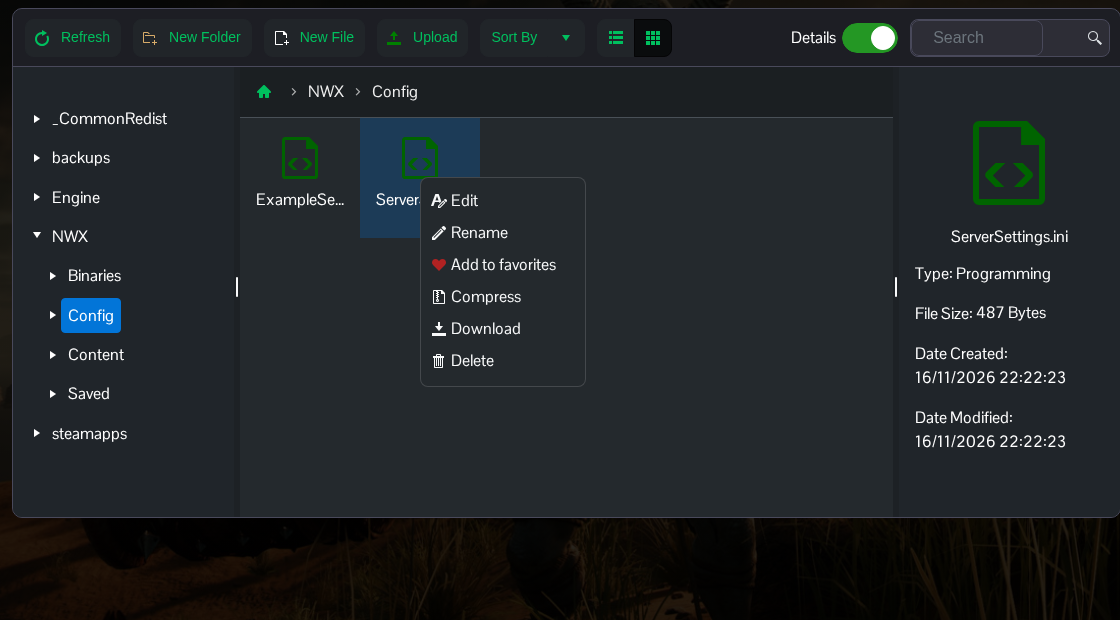
The separate settings copy includes the join password, admin password and starting difficulty. A save backup alone will not put those settings back.
For a separate copy of the saved data on your computer, compress and download NWX/Saved through File Manager or transfer the folder over FTP. Files listed under backups can be placeholders for archives held on the backup node.
