Resetting the world on your Hytale server wipes the map back to a fresh generation. This removes builds, exploration, and anything stored in the world data.
WARNING: This cannot be undone unless you restore a backup. Take a backup first using our guide here: How to backup your Hytale Server.
- Stop your server.
Do not reset the world while it is running, or it can re-save old data and mess up the reset.
- Open Files, then go to
universe/worlds/.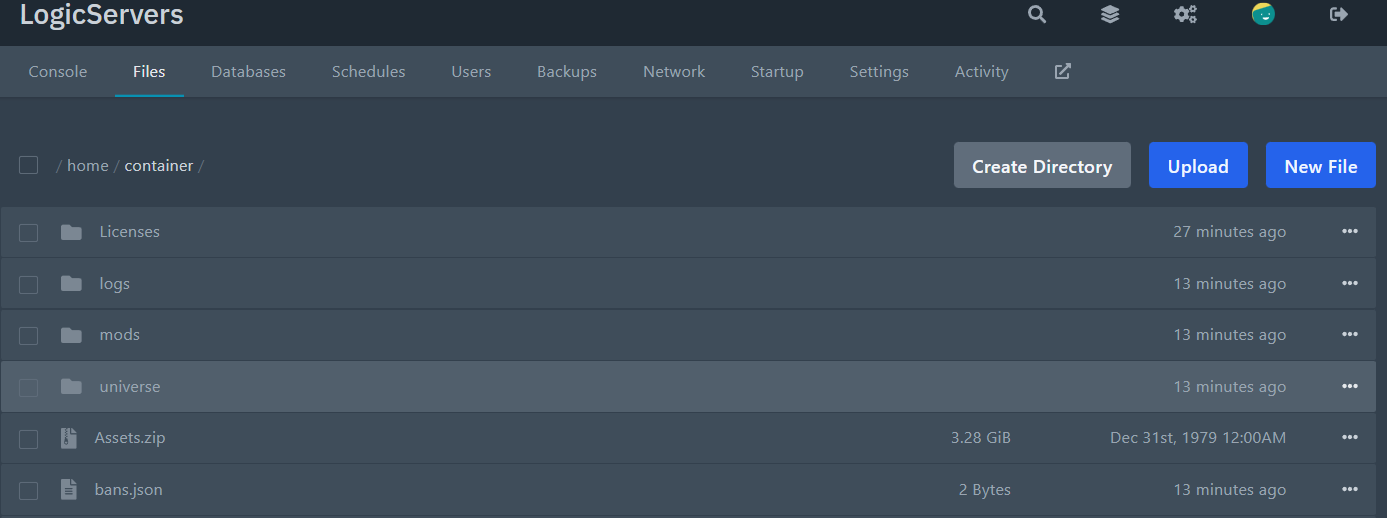
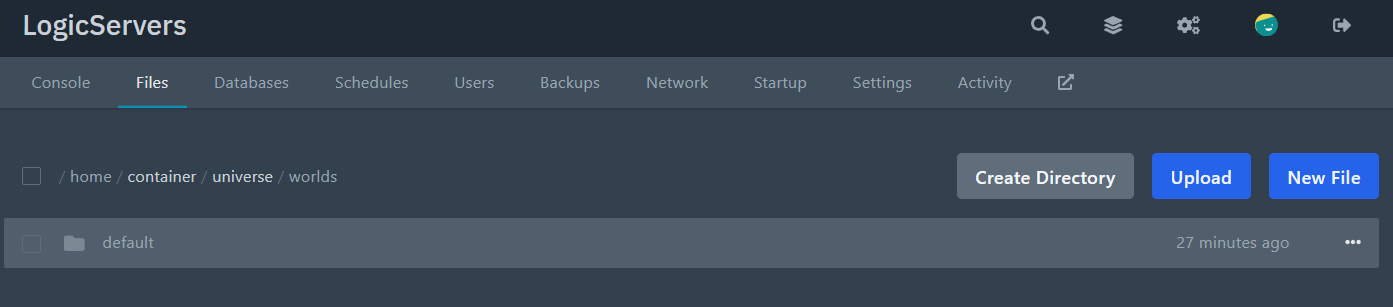
- Open the folder for the world you want to reset. Or if you don't care about the config / want to use the default one without any modifications, just delete the whole world folder, and start your server.
Most servers use
default, but yours may be named differently. - Delete the world data folders.
Inside the world folder, delete:
chunksresources(if present)
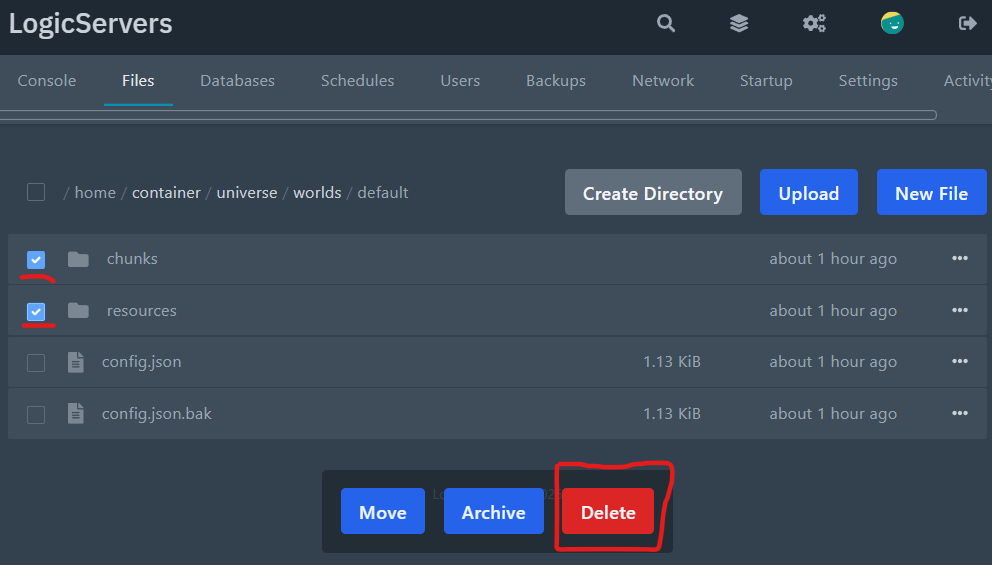
NOTE: This is the part that actually resets the world. If you only edit config files, your existing world will stay as-is.
- Start the server again.
The server will generate a fresh world the next time it boots.
Resetting the wrong world? Your server’s active world is set in the main config.json (root of the server files). The default is usually:
"Defaults": {
  "World": "default",
  "GameMode": "Adventure"
}
If you have multiple world folders, make sure the World value matches the folder you’re wiping. For a full overview of where each setting lives, see: Modifying the settings of your Hytale server.
