Hytale’s built-in backups can be enabled from the Startup tab. Once enabled, the server will create automatic backups on a schedule, storing them in the directory you specify.
- Go to your Hytale server, then click the Startup tab.
- Enable
ENABLE_BACKUPS. - Set your backup settings:
BACKUP_DIRECTORY– where backups are stored (example:/backup).BACKUP_FREQUENCY– how often to back up, in minutes (example:30).
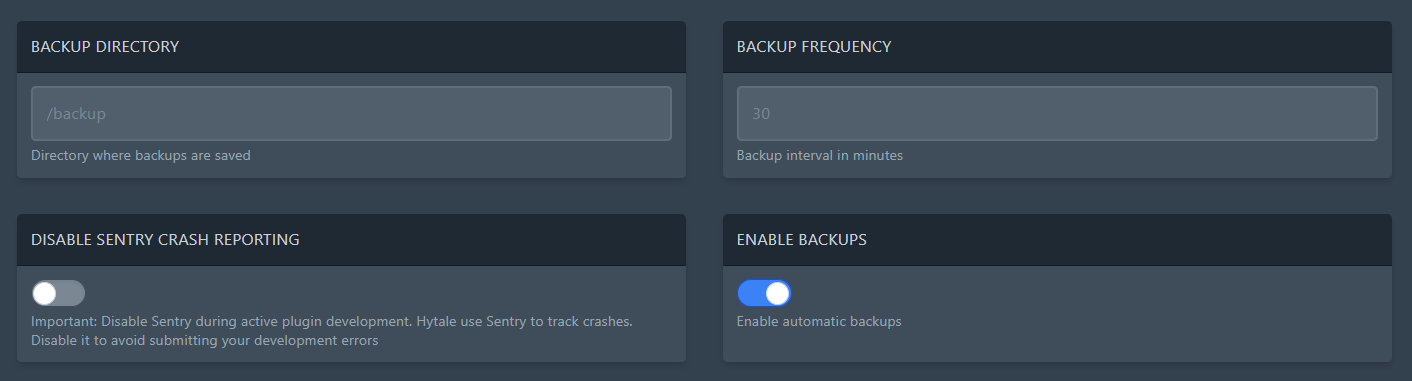
- Restart your server to apply the changes.
Where are my backups? They’ll be created under the folder you set in BACKUP_DIRECTORY. You can browse and download them from the Files tab.
Nothing is being created? Double check ENABLE_BACKUPS is enabled, your BACKUP_FREQUENCY is a sensible number (minutes), then restart the server again.
Tip: keep your frequency realistic. Backing up too often can cause extra disk usage and can impact performance on busy servers.
