How to enable a whitelist on a Hytale server

A whitelist lets you lock your Hytale server so only approved players can join. You can enable it and manage it from the console, no file editing needed.


  1. Go to your Hytale server, then click the Console tab.
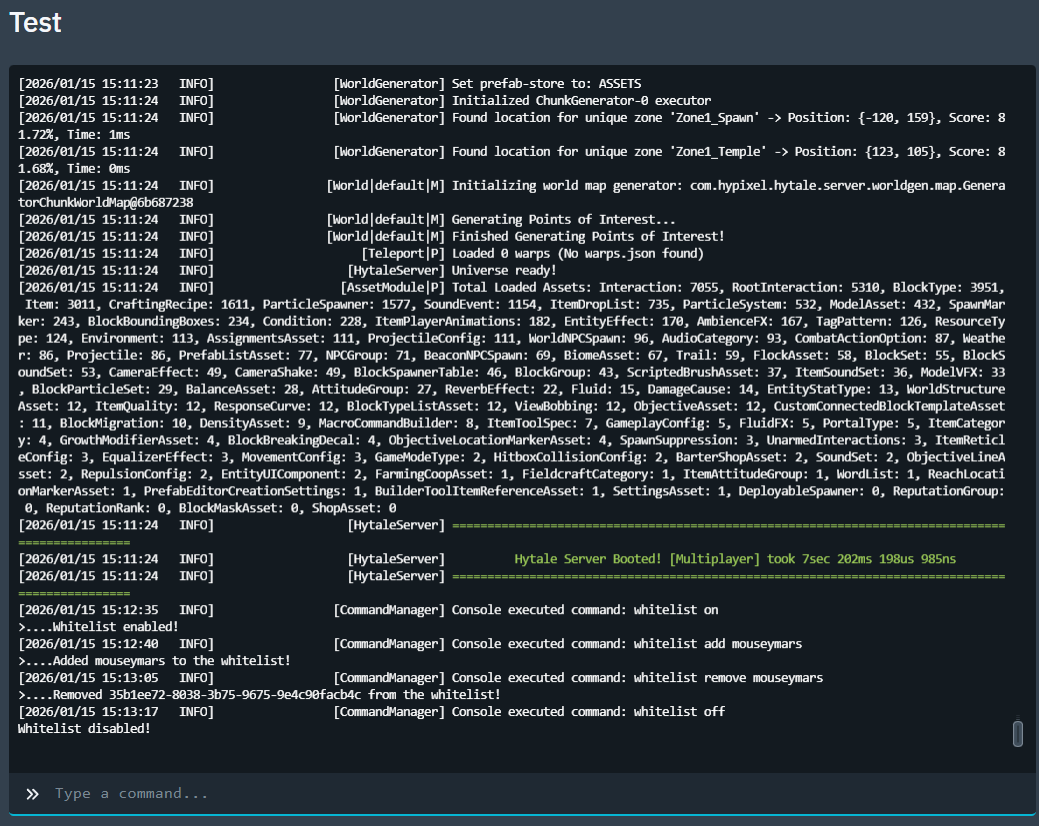
    Console tab in the control panel

  2. Enable the whitelist:
    whitelist on

    Only whitelisted players and admins can join once this is on.

  3. Add players to the whitelist (run this once per player):
    whitelist add <playername>

    Example:

    whitelist add mouseymars
  4. Remove a player from the whitelist:
    whitelist remove <playername>

    Example:

    whitelist remove mouseymars
  5. To turn the whitelist back off:
    whitelist off


Tip: If you want to run whitelist commands in-game instead of the panel, you will need admin/operator permissions first.


If you need any help with your whitelist on your Hytale Server Hosting, please feel free to submit a ticket, we have quick replies and can sort it out.

  • 0 Users Found This Useful
Was this answer helpful?

Related Articles

How to restore your Hytale Server from a backup

If something goes wrong with your Hytale Server Hosting, you may want to restore it back to a...

How to join a Hytale Server

Hytale has just been released and the best way to play the game is with your own Hytale Server on...

How to backup your Hytale Server

When you've spent a long time playing Hytale, the last thing you want is to loose your progress...

What are the Hytale Console Commands

Commands in Hytale let you manage players, run backups, and control your server without touching...

Modifying the settings of your Hytale server

Hytale has two different config.json files. One controls the server itself, and the other...