Banning a player stops them from joining your Hytale server. You can ban and unban directly from the console, no file editing needed.
- Go to your Hytale server, then click the Console tab.
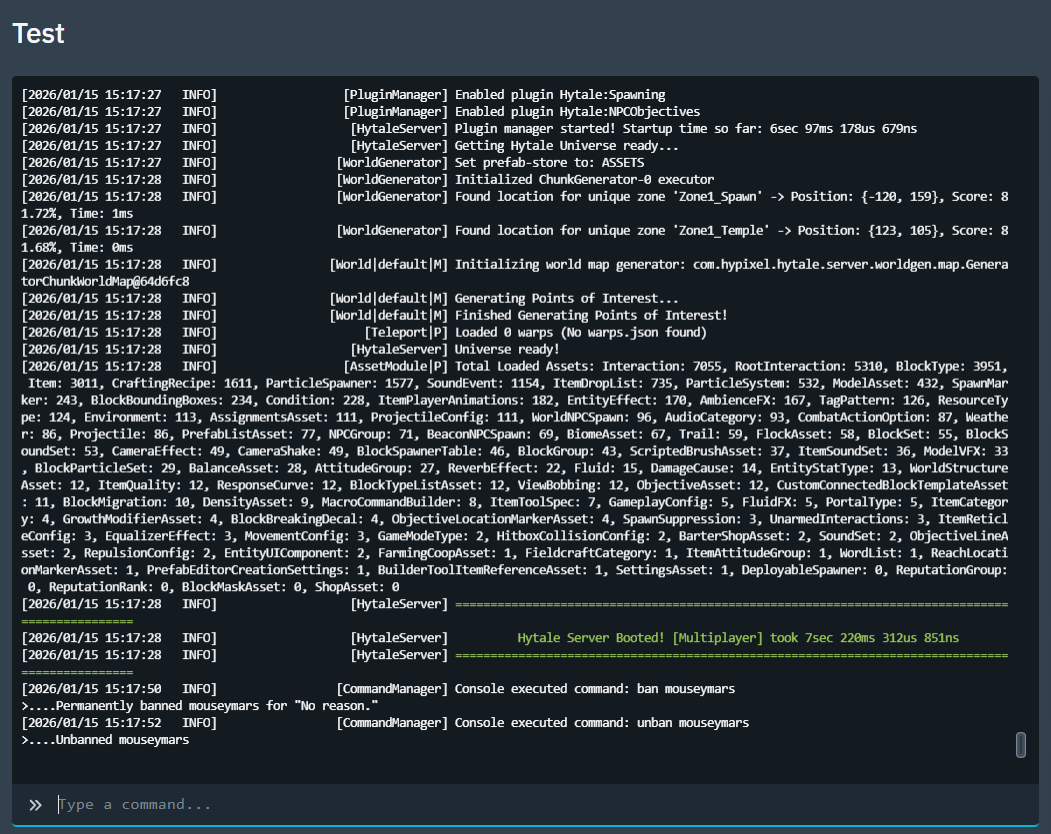
- Ban a player, replace player name with whoever you want to bans in-game name.
ban <playername>Example:
ban mouseymars - Unban a player:
unban <playername>Example:
unban mouseymars
Tip: If you want to run ban commands in-game instead of the panel, you will need admin/operator permissions first. In-game commands are usually run with a leading slash, but the control panel console typically does not need it.
You can edit the file but it's easy to mess up. Hytale Server Hosting stores bans in bans.json in the server root. If you break the JSON formatting, bans can stop applying correctly.
If you need any help banning or unbanning players on your Hytale Server Hosting, submit a ticket and we will sort it out.
