Squad assigns admin permissions through named groups in Admins.cfg. Each player entry links a SteamID64 to one of those groups.
- Open your Squad service in the game control panel and stop the server.
- Open Configuration Files and choose Text Editor beside
Admins.cfg. - Add a group with the permissions you want, then add the player below it. Replace
YOUR_STEAMID64with the player’s 17-digit SteamID64.Group=CommunityOwners:kick,ban,changemap,chat,reserve Admin=YOUR_STEAMID64:CommunityOwners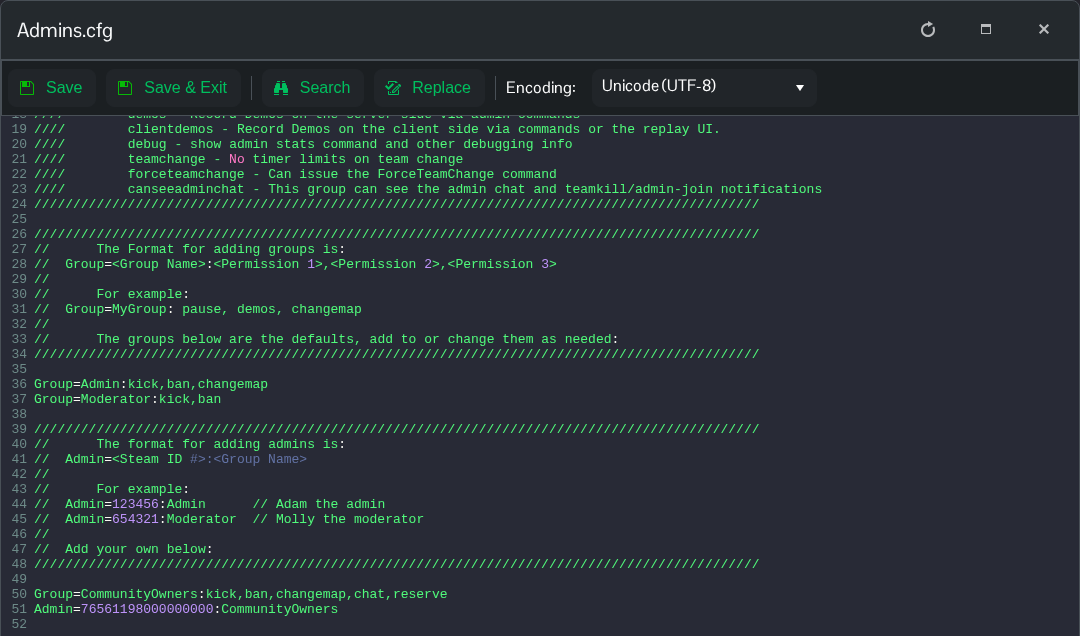
- Keep the group name identical on both lines. This example grants kicking, banning, map changes, admin chat and reserved-slot access; remove permissions the group does not need.
- Click Save & Exit, then start the server. The player should reconnect before checking their admin access.
