A Squad layer includes the map and game mode. Edit LayerRotation.cfg to choose which layers your server can load, such as two Al Basrah AAS layers.
- Open your Squad service in the game control panel and stop the server.
- Open Configuration Files and choose Text Editor beside
Server.cfg. - Set
MapRotationModetoLayerListso the server usesLayerRotation.cfg. Leave layer and level voting off when you want to use this list.MapRotationMode=LayerList UseVoteLevel=false UseVoteLayer=false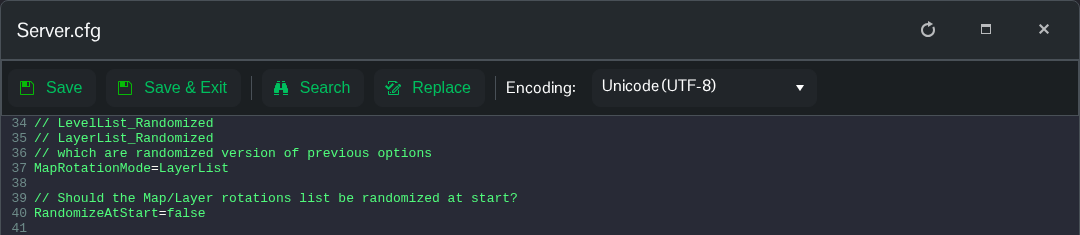
- Save and exit, then open
LayerRotation.cfgin Text Editor. Put one layer ID on each line.AlBasrah_AAS_v1 AlBasrah_AAS_v2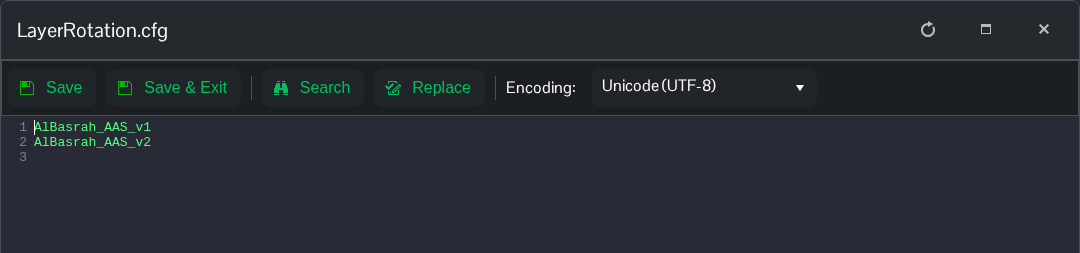
- Use IDs such as
AlBasrah_AAS_v1, rather than the display nameAl Basrah AAS v1. Keep any comments on separate lines. - Click Save & Exit, then start the server.
Startup options can randomise the layers, so the line order in this file does not guarantee the playing order.
