Use AllowTeamChanges to control regular player team changes. Squad can also reject a change when it would leave the teams too uneven.
- Open your Squad service in the game control panel and stop the server.
- Open Configuration Files and choose Text Editor beside
Server.cfg. - To disable regular team changes, set
AllowTeamChanges=false. The configuration notes that players with thebalanceadmin permission can bypass this restriction.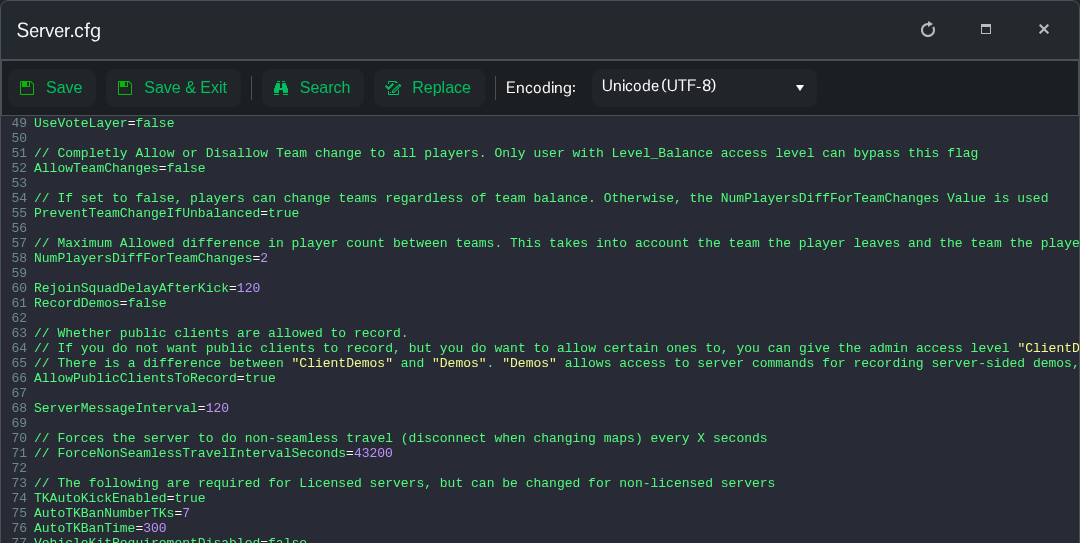
- To allow changes with a balance check instead, use the following settings.
NumPlayersDiffForTeamChangesis the maximum permitted player-count difference after the change.AllowTeamChanges=true PreventTeamChangeIfUnbalanced=true NumPlayersDiffForTeamChanges=2 - Click Save & Exit, then start the server.
