Use the address under Connection Info to join your Insurgency: Sandstorm server directly. This uses the game port, which is different from the query and RCON ports.
- Open your Insurgency: Sandstorm service in the game control panel and copy the full Connection Info address, including its port.
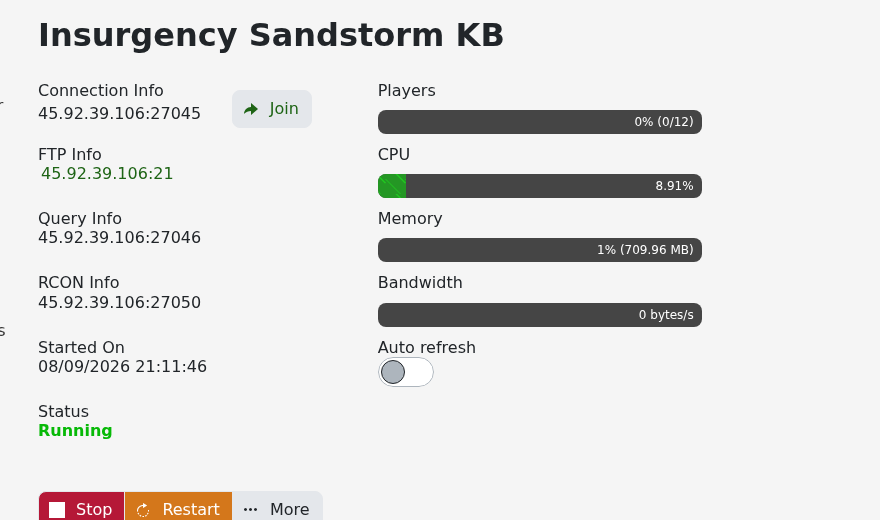
- Start the server if it is stopped and let the scenario finish loading. Keep your Steam game client updated to the same version as the server.
- Launch Insurgency: Sandstorm on PC. Choose Play, then open Community Servers.
- Choose the option to connect by IP in the server browser. Enter your full game address in
IP:portformat, then confirm. Replace both parts of this example with your own details.203.0.113.10:27045 - Enter the server's join password if requested. If the server has no join password, leave the password box empty and confirm.
- Allow the map and any required server content to load before choosing your team and class.
You can also search for the server's configured name in Community Servers. If it does not appear, clear restrictive filters and try the direct IP method above. A missing browser entry and a failed direct connection are different symptoms, so keep the exact error message when asking the server owner to check.
For a timeout, check the complete game address and the newest server startup output. Do not substitute Query Info, RCON Info or the file-transfer port for Connection Info.
