Find your Squad server by its configured name in the in-game browser. The list you need depends on whether the server has an Offworld licence.
- Open your Squad service in the game control panel. Start it if it is stopped and allow the first layer to finish loading.
- Use the exact
ServerNamefrom Configuration Files, then Text Editor besideServer.cfg. Read the existing value without changing it, or ask the server owner for the name.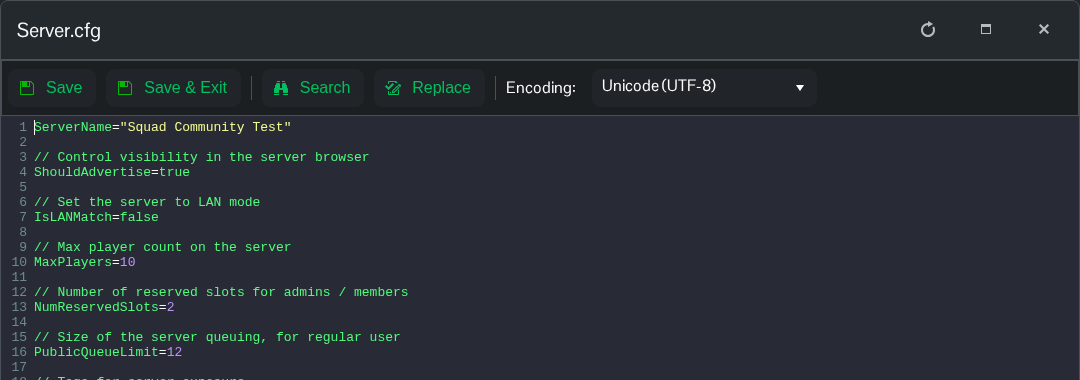
- Launch the matching version of Squad through Steam and open the server browser from the main menu.
- For an unlicensed community server, use the custom-server list. For a licensed server, use the licensed server list. Search for the configured name or a distinctive part of it. Clear any filters hiding empty servers when looking for a newly started server.
- Select the matching entry and click Join Server. Enter the server password if prompted. If the server is full and you enter its queue, wait for a place.
If you cannot find the server, check both the correct list and the name in Server.cfg before changing settings. A different name on your billing service does not rename the game server.
