Use Is Visible to control whether your Aloft server appears publicly in the server list.
- Open your Aloft server in the control panel, then click Configuration Files.
- Click Config Editor next to
AloftServer.ps1. - Untick Is Visible to hide the server from the public list.
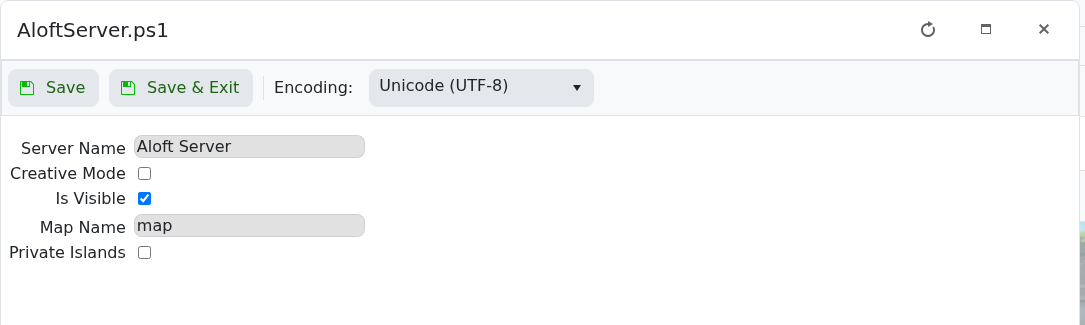
- Click Save & Exit, then restart the server.
Players can still join if they have the correct connection details. To find those details, see How to join an Aloft Server.
Before you start
Make one change at a time and keep a note of what you changed. If the server is active, warn players before restarting or applying settings that may disconnect them.
If you get stuck
Check the control-panel console or latest log output for errors. If you submit a support ticket, include the server name, the change you made, and the exact error message.
