Restore a backup when you need to roll your Arma 3 server back after a broken update, unwanted config change, bad mission upload, or mod issue. Restoring replaces current server files with the selected backup.
- Open your Arma 3 server in the control panel.
- Stop the server.
- Click Restore Backup.
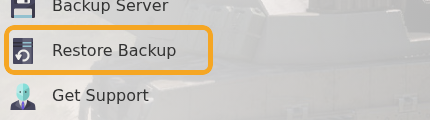
- Select the backup you want to restore.
- Tick Are you sure?, then click Execute.
- Start the server and check that the expected mission, mods, and config are restored.
Restoring a backup replaces the current server files with the selected backup. If you have made new mission or mod changes since the backup was created, those changes may be overwritten. If you are unsure which backup to restore, submit a support ticket before executing the restore.
