Linux firewall rules control which inbound connections can reach services on your VPS. Open only the ports your software needs, and make sure the service is running before testing from outside.
Ports can be TCP, UDP, or both. Many game servers use UDP for gameplay traffic and TCP for web panels, RCON, or APIs, so check the game documentation before opening ports.
Before enabling a firewall
Allow SSH before enabling or reloading the firewall. If SSH is blocked, you can lock yourself out and will need to use the VPS console to fix the rule.
Keep your current SSH session open while testing firewall changes. After applying the rules, open a second SSH session to confirm you can still connect.
Ubuntu or Debian with UFW
If UFW is not enabled yet, allow SSH first:
sudo ufw allow OpenSSH
If your SSH service uses a custom port, allow that port instead. For normal SSH on port 22:
sudo ufw allow 22/tcp
Enable UFW after SSH is allowed:
sudo ufw enable
Allow a TCP port:
sudo ufw allow 7777/tcp
Allow a UDP port:
sudo ufw allow 7777/udp
Allow a port only from one trusted IP address:
sudo ufw allow from TRUSTED_IP to any port 22 proto tcp
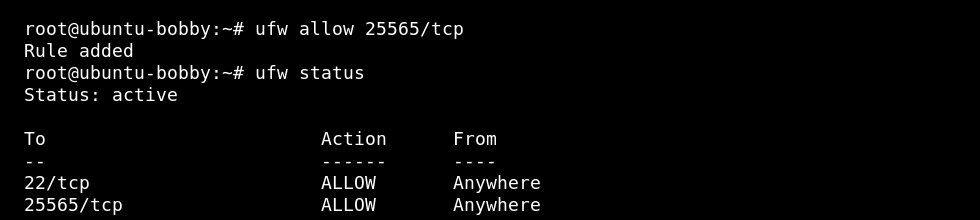
Check status:
sudo ufw status
AlmaLinux, Rocky Linux, or Oracle Linux with firewalld
Allow SSH before changing firewalld rules if you are connected over SSH:
sudo firewall-cmd --permanent --add-service=ssh
sudo firewall-cmd --reload
Allow a TCP port:
sudo firewall-cmd --permanent --add-port=7777/tcp
sudo firewall-cmd --reload
Allow a UDP port:
sudo firewall-cmd --permanent --add-port=7777/udp
sudo firewall-cmd --reload
List open ports:
sudo firewall-cmd --list-ports
Common game server examples
| Example | Rule type |
|---|---|
Minecraft Java default port 25565 | TCP |
| Many Steam dedicated servers | Usually UDP game ports, sometimes TCP query/RCON ports too. |
| Web panels | Usually TCP, such as 80, 443, or a custom panel port. |
After opening a port
- Start the application that should listen on the port.
- Check listening ports: How to check listening ports on a Linux VPS.
- If your VPS also has a panel firewall, allow the same port there too.
- Remove rules you no longer need.
