The Forest keeps its name, passwords, save slot, difficulty and gameplay options in server.cfg. The panel provides both a configuration editor and the complete text editor.
- Open your The Forest service, take a backup and stop the server.
- Click Configuration Files.
- Use Config Editor beside
server.cfgfor common fields, or Text Editor to see every option.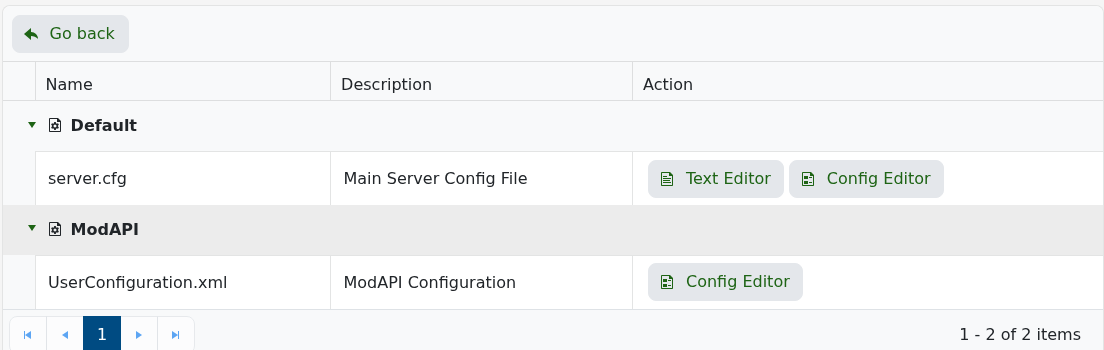
- Save the file and start the server.
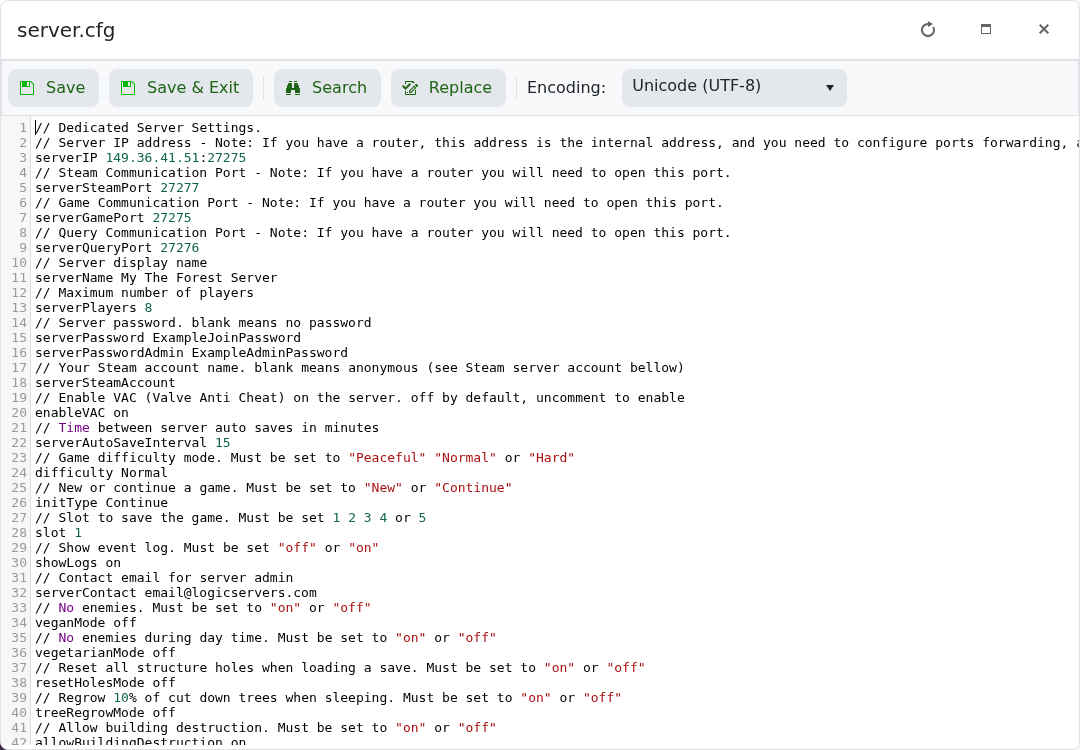
These are the settings most owners change:
| Setting | Accepted value | Purpose |
|---|---|---|
serverName | Text | Name shown in the server browser. |
serverPassword | Text or blank | Password required to join. |
serverPasswordAdmin | Text or blank | Password used to authenticate administrators. |
serverAutoSaveInterval | Minutes, minimum 15 | How often the world is saved while players are connected. |
difficulty | Peaceful, Normal, Hard or HardSurvival | World difficulty. |
slot | 1 to 5 | Save slot loaded by the server. |
treeRegrowMode | on or off | Regrows part of the cut tree population when players sleep. |
allowBuildingDestruction | on or off | Controls whether structures can be damaged. |
realisticPlayerDamage | on or off | Increases damage between players. |
Do not change the assigned IP or port values. If the server stops after an edit, restore the last known value and check the log for the first configuration error.
