Upgrade your VPS when the current CPU, RAM, disk, or bandwidth limits are consistently too low for the services you are running. A one-off spike during updates, backups, world generation, or map loading is normal. Repeated high usage during normal operation is the part to investigate.
Check both the VPS panel and the operating system before upgrading. The panel shows overall VPS usage, while Linux or Windows tools show which process is causing it.
- Open your VPS service from the client area.
- Open the VPS control panel.
- Check CPU, RAM, disk, and bandwidth usage on the overview page.
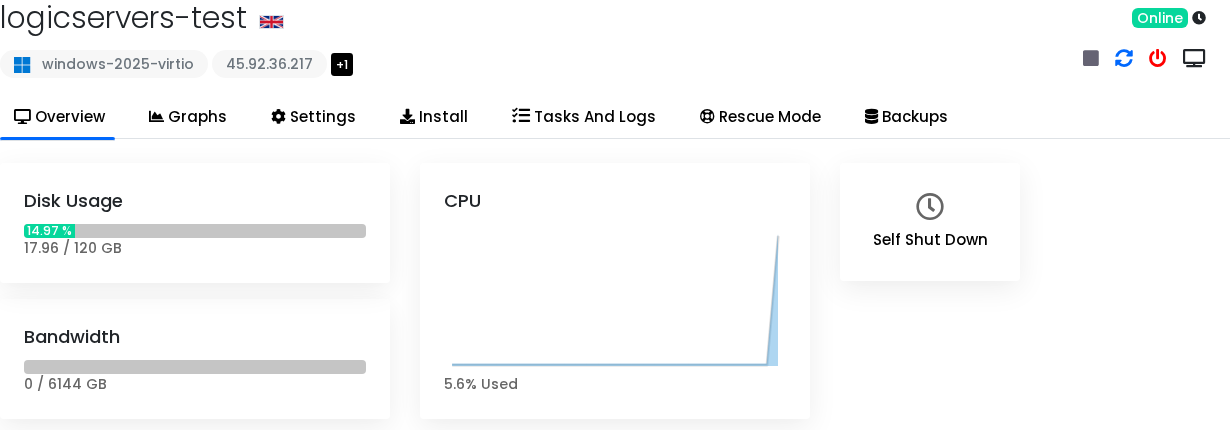
- Check inside the operating system to identify the process using the resources.
- Stop unused services, old test servers, broken scripts, or repeated update loops before upgrading.
- Upgrade if the VPS still sits near its limits during normal use.
When each resource matters
| Resource | Upgrade when | Common cause |
|---|---|---|
| RAM | The VPS swaps, game servers crash, Java exits, or memory stays high with normal players online. | Large worlds, too many players, modded servers, databases, Windows overhead. |
| CPU | Server ticks, web apps, or game loops are slow after removing unused processes. | World generation, mods, many players, compression, scripts, database work. |
| Disk | Updates, backups, saves, or logs cannot complete. | Old backups, logs, Docker images, downloaded installers, game saves. |
| Bandwidth | The VPS is close to its monthly transfer allowance before the month ends. | Large downloads, public file hosting, busy game servers, backups to/from the VPS. |
Useful checks
For Linux resource checks, use How to check CPU and RAM usage on a Linux VPS.
For Windows resource checks, use How to use Task Manager on a Windows VPS.
If you are unsure which resource is the bottleneck, submit a support ticket with the service you are running, what changed recently, and a screenshot of the VPS usage panel.
