Your Stormforge server files are available through TCAdmin's File Manager or FTP. The main configuration is in the service's root folder, while world saves are inside saves/Worlds.
- Open your Stormforge service and click File Manager.
- Open
saves, thenWorldsto reach the world saves.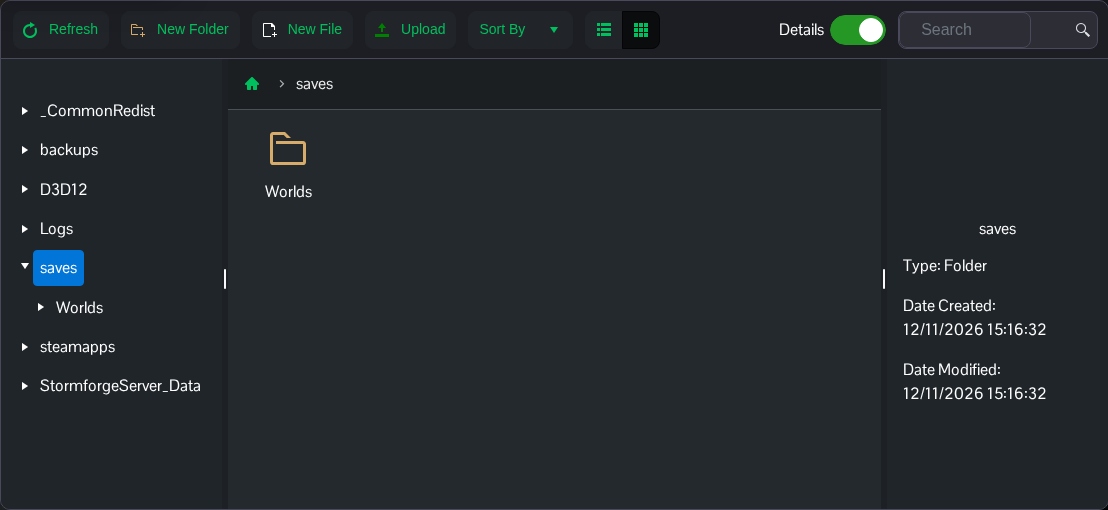
- Stop the server before downloading a copy of a world or replacing any save files. Use Backup Server when you want an archive of the service before making changes.
| Location | Contents |
|---|---|
settings.json | Server name, password, pause behaviour and world settings. |
saves/Worlds | World saves inside the directory selected by savesDirectory. The default save directory is saves. |
Logs | Dated server log files, also available through Log Viewer. |
backups | Backup Server entries. These may be zero-byte placeholders for archives stored on the backup node; use the backup guide to download a separate copy through File Manager. |
Keep the save directory in place when updating. Deleting the service's files to fix a setting can also remove the world you're trying to keep.
