A whitelist lets you control who can join your 7 Days to Die server. Like admins, whitelist entries are stored in serveradmin.xml and should use the player's SteamID64.
You can find a player's SteamID64 with a lookup site such as steamid.io. Use the long SteamID64 number, not their display name.
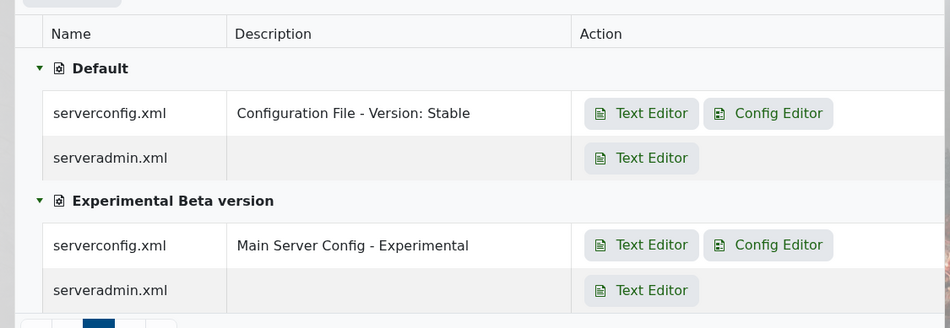
Open your 7 Days to Die server in the control panel, then click Configuration Files. Find serveradmin.xml and open it with the Text Editor.
Scroll down until you find the <whitelist> section. If you add entries here, whitelist-only mode is enabled and only listed players will be able to join.
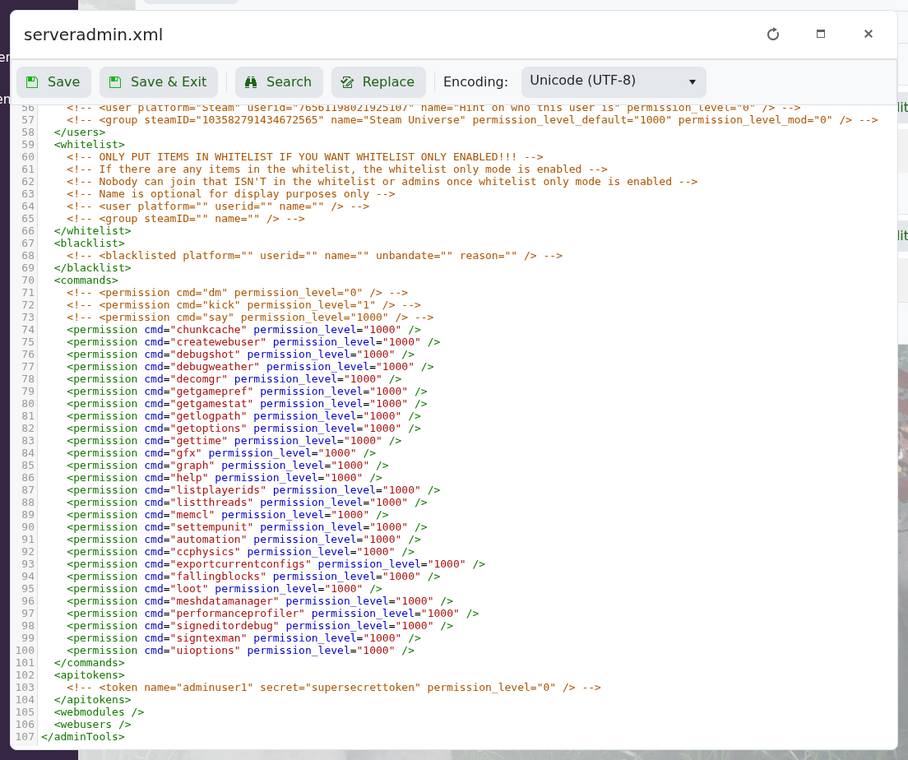
Add one line for each player you want to allow:
<user platform="Steam" userid="76561198000000000" name="PlayerName" />
Replace the example number with the player's SteamID64. The name value is optional, but it makes the file easier to read later.
A simple whitelist section should look like this:
<whitelist>
    <user platform="Steam" userid="76561198000000000" name="PlayerOne" />
    <user platform="Steam" userid="76561198000000001" name="PlayerTwo" />
</whitelist>
Save the file, then restart your server. Once the whitelist is active, only the players listed in that section should be allowed to join.
If someone cannot join after being added, double-check their SteamID64 and make sure the XML formatting is still valid. If the file is broken, the server may ignore the whitelist section.
