
How to get your Windrose 'Invite Code' and use it to easily join your server
This guide will walk you through the process of finding the join code for your Windrose server. This will allow you and your friends to easily join your server using the code.
Don’t have an Windrose server yet? Get yours here - Logic Servers Windrose Server
- Login to your TCAdmin control panel:
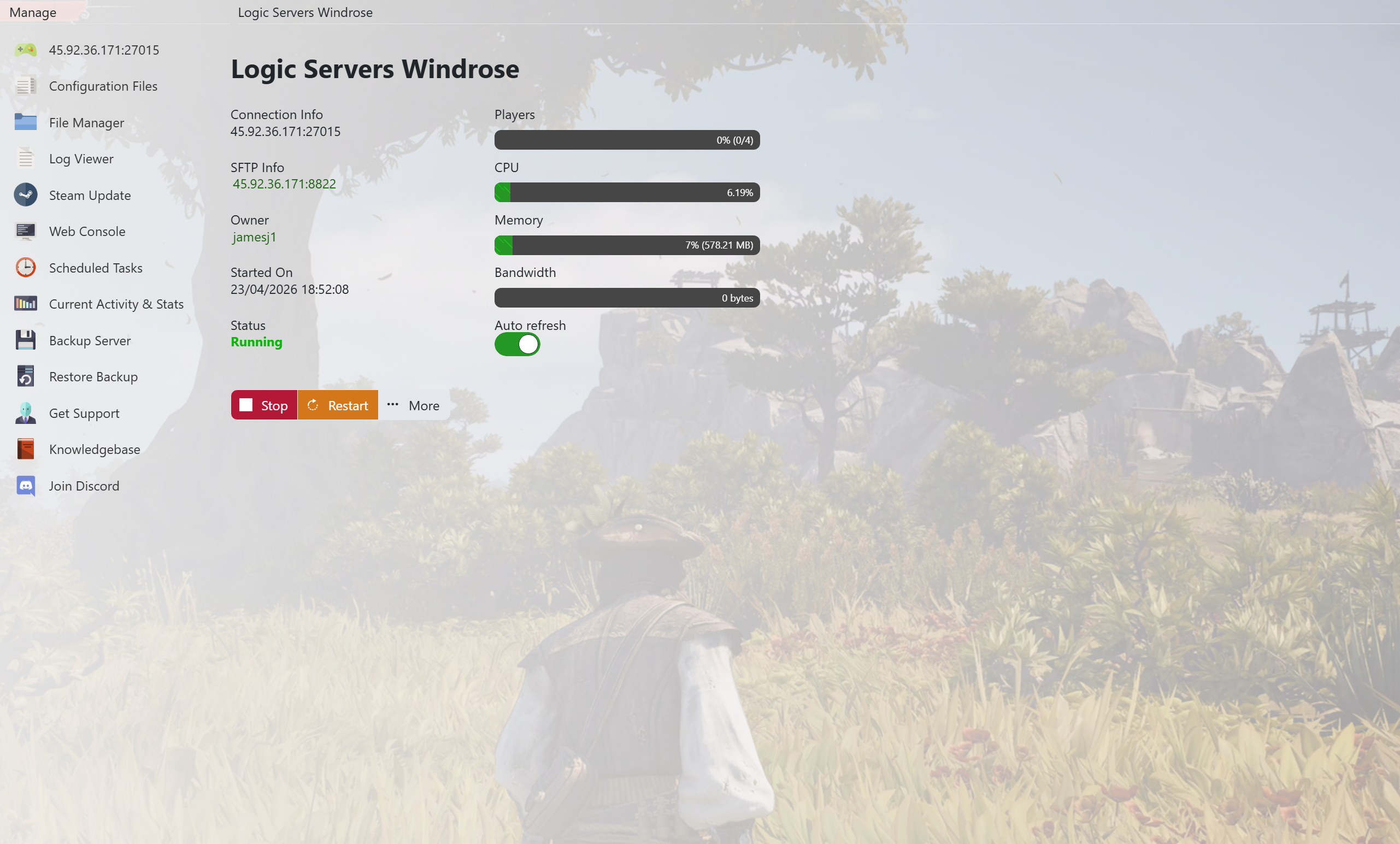
- When you purchased your Windrose server with us you will have been sent your login details via email. Use those details to login to your TCAdmin control panel. When you are logged into your panel you will see various options available to you. From here you can control your server.
- Stop your server:
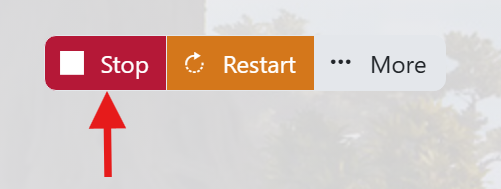
- Before making any changes to your server press the stop button. This can be found underneath your server's connection details in the top left hand side. Pressing Stop will shutdown your server ready for you to make any changes.
- Backup your server files:

- It is always good practice to make a backup of your server before you make any changes. This will give you the option to restore back if you make any mistakes. To backup your server press the ‘Backup Server’ button on your panel. The buttons icon represents a disk.
- We also have a separate guide here on backing up your Windrose server - How to backup your Windrose Server
- Open your configuration Files section:

- Press the ‘Configuration Files’ button on your panel. The icon is two sheets of paper. Once you have pressed this it will take you to the next screen ready to edit your server settings.
- Edit your config file:

- Locate your config file called ‘ServerDescription.json’ and to the right of that press the ‘[Config Editor]’ button. This will then open up the settings available to change on your server.
- You can also change any other settings in your config while your here like the server name or password. Please check out our other Windrose guides on how to do this.
- Get your 'Invite Code':
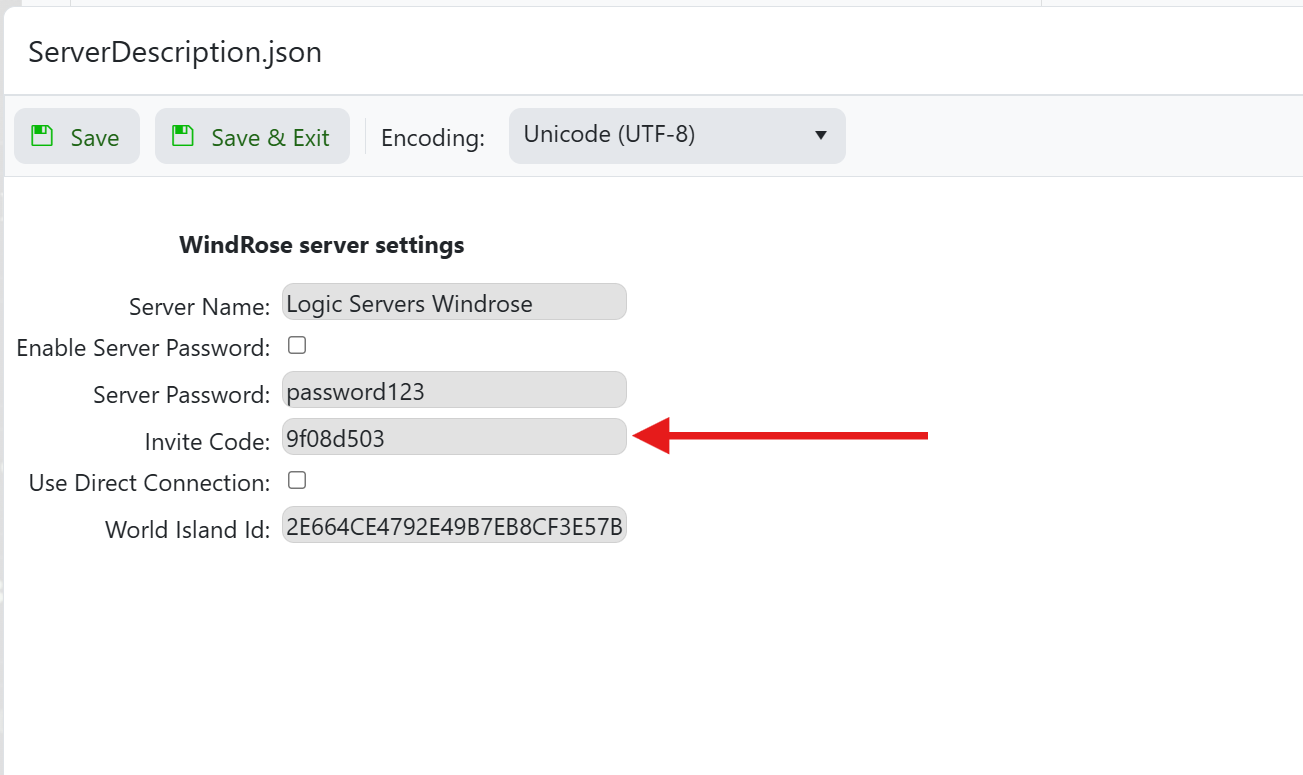
- Look for the box labelled ‘Invite Code’ and make a note of the code thats in the box as you will need this in the next step.
- When you are finished close the window without saving using the 'x' in the top right hand corner.
- Start your server:
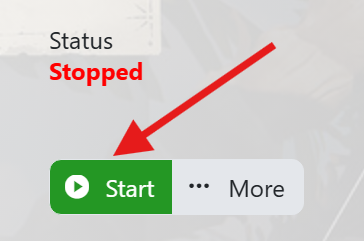
- Now that you have your join code you can open the game and use the invite code to find and join your server by entering it into the box.
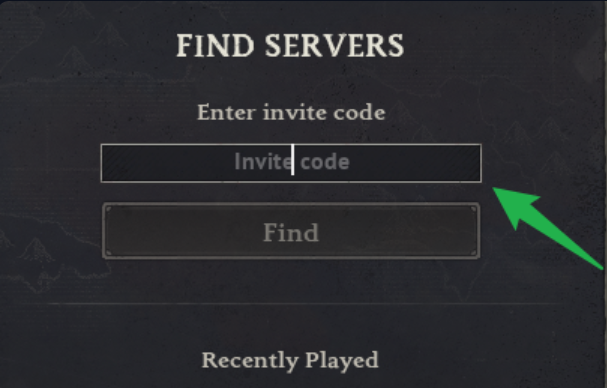
You and your friends will now be able to join the server from within the game and locate it using the Invite Code as shown in this guide. Please check out our other guides for Windrose and if you require any further support feel free to open a ticket and we will be happy to help.


