Factorio admins are set in server-settings.json. Add the exact Factorio username for each player you want to make admin.

Adding an admin

  1. Open your Factorio server in the control panel.
  2. Stop the server, then take a backup.
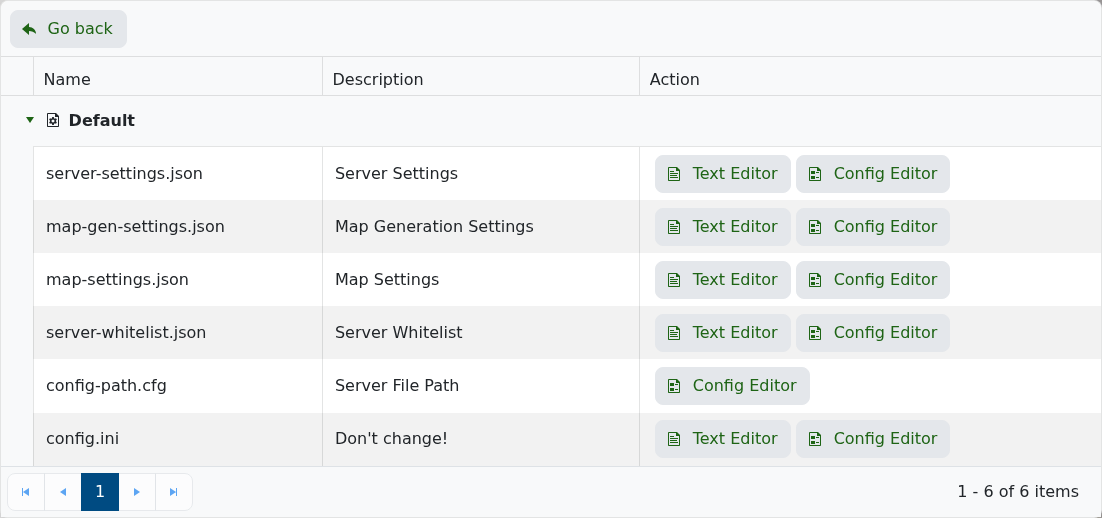
  3. Click Configuration Files.

    Factorio configuration files in TCAdmin

  4. Edit server-settings.json.
  5. Find the admins section and add the usernames you want to make admin:
    "admins": [
      "PlayerName",
      "SecondPlayer"
    ]
  6. Make sure the JSON formatting stays valid. Each username except the last one needs a comma after it.
  7. Save the file, then start the server again.

If allow_commands is set to admins-only, only admins can use server commands.

  • 0 Utilisateurs l'ont trouvée utile
Cette réponse était-elle pertinente?

Articles connexes

Generating your server token for your Factorio server

Factorio uses your Factorio username and server token when the server needs to authenticate with...

Initial setup for your Factorio server

Factorio needs a save file before the server can start. For a new server, the quickest option is...

Uploading Save Game Files to Your Factorio Server

You can upload an existing Factorio save if you already have a world on your own PC, or if you...

Installing Mods on your Factorio server

Factorio server mods are uploaded to the server's mods folder. Players joining the server will...

Factorio Autosaves and Rolling Back to an Autosave

Factorio autosaves are controlled from server-settings.json. You can change how often the server...