
Most Factorio server settings are changed from the configuration files in the control panel. Stop the server and take a backup before making changes.
Editing Factorio configuration files
Open your Factorio server in the control panel, stop the server, then click Configuration Files.
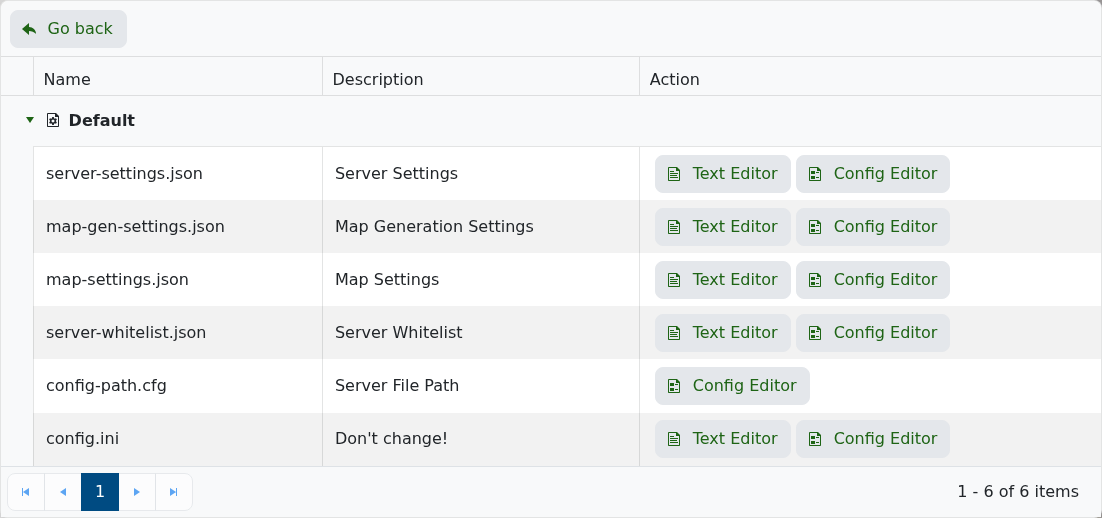
Edit the file you need to change:
- server-settings.json: server name, description, password, max players, visibility, admins, autosaves, and command access.
- map-gen-settings.json: map generation options used when creating a new save.
- map-settings.json: gameplay and map rules used when creating a new save.
- server-whitelist.json: whitelist entries if you use whitelist-based access.
Save the file when you are done, then start the server again.
Changes in map-gen-settings.json and map-settings.json are normally used when creating a new map. They will not regenerate an existing world that has already been created.
If your server is public, make sure your Factorio username and token are configured correctly. Our token guide is here: Generating your server token for your Factorio server.


