
ARK difficulty controls the maximum wild dino level and loot scaling. Difficulty is usually changed in GameUserSettings.ini, then applied after a restart and wild dino wipe.
- Open your ARK server in the control panel.
- Click Configuration Files.
- Open
GameUserSettings.iniwith Config Editor or Text Editor.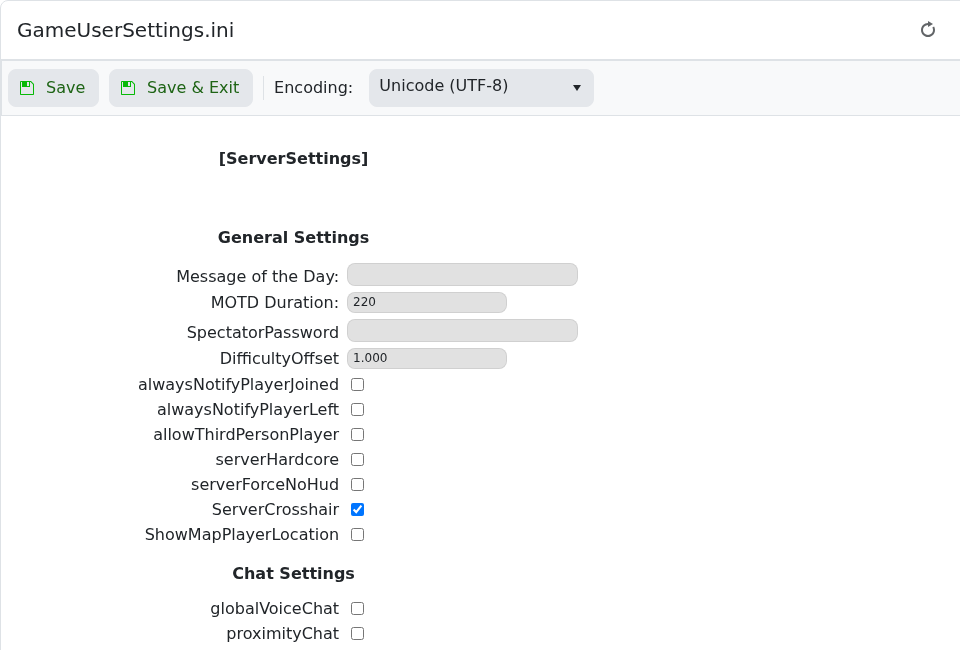
- Set
DifficultyOffsetand, if needed,OverrideOfficialDifficulty. Example:DifficultyOffset=1.0 OverrideOfficialDifficulty=5.0 - Click Save & Exit, then restart the server.
- After changing difficulty, run
admincheat DestroyWildDinosfrom the admin console so new wild dinos spawn with the updated levels.
A common setup for level 150 wild dinos is DifficultyOffset=1.0 and OverrideOfficialDifficulty=5.0. Always test values after restarting.


